




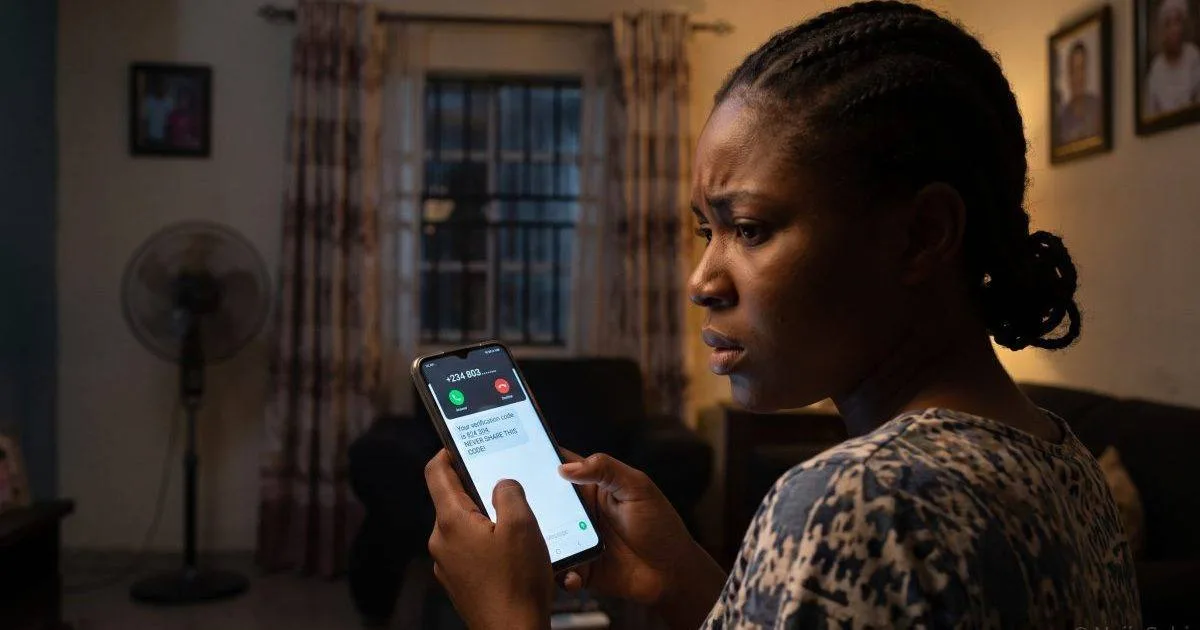
📌 Quick Summary: If your WhatsApp has been hacked, open WhatsApp, enter your phone number and request the six-digit SMS code — entering it registers your number back to your phone and logs the attacker out. If WhatsApp then asks for a two-step verification PIN you never set, the hacker added one, and you will have to wait seven days before you can sign in without it. In Nigeria, the commonest trick in 2026 is a caller who asks you to read out a “Zoom code” or “meeting code”: that number is your WhatsApp verification code. Once you are back in, remove unknown linked devices, turn on two-step verification with a recovery email and warn your contacts before the scammer asks them for money.
Your WhatsApp holds your contacts, your family chats, your customers and often your reputation. When it is hijacked, the scammer messages everyone you know pretending to be you, usually begging for urgent money. This NaijaSabi guide explains how the hijacks happen in Nigeria, how to get your account back step by step and how to make sure it cannot happen again.
| Fact | Detail |
| Commonest cause | You share the six-digit verification code WhatsApp sends by SMS |
| Nigerian pretext (2026) | A caller says they need a “Zoom code” or “meeting code” — it is your WhatsApp code |
| Recovery | Re-register your number in WhatsApp with the SMS code; this logs the attacker out |
| If the hacker set a PIN | You must wait seven days before signing in without it, unless you set a recovery email |
| Best protection | Two-step verification with a recovery email; never share any code |
| What WhatsApp cannot do | Skip the seven-day wait or restore messages that were never backed up |
How WhatsApp Accounts Get Hacked in Nigeria
An African tech outlet’s guide to WhatsApp security in Nigeria notes that WhatsApp hacking here “almost never involves any real technical wizardry”: nearly every takeover comes down to getting you to share your verification code or to help the attacker receive it.
- The “Zoom code” call. In April 2026, Nigerians reported callers pretending to share a Zoom meeting and asking victims to read out a six-digit code. That code is WhatsApp’s verification code, sent the moment the scammer tries to register your number on their phone. One person reported that a school owner’s hacked account was used to ask parents to pay fees into a scam account.
- The “I sent my code to your number by mistake” message. A hacked friend’s account asks you to forward a code. Their account is already compromised, and the code is yours.
- Fake “WhatsApp Security Centre” pages. A June 2026 bulletin from Hong Kong’s computer emergency response team describes phishing pages that tell you to scan a QR code or enter an eight-character code under Settings → Linked devices. Doing so links the attacker’s device to your account.
- SIM swap. If someone takes over your SIM, they receive your code directly. See NaijaSabi’s guide to protecting your bank app and phone from fraud.
WhatsApp’s own warning is simple: never share your verification code with anyone, not even a friend or family member. Regulators elsewhere add that genuine WhatsApp staff will never ask for it.
Signs Your WhatsApp Has Been Hacked
- You are suddenly logged out and asked to register again
- You receive a six-digit code you did not request
- Friends say you messaged them asking for money, airtime or a code
- You see chats or messages you did not send
- An unfamiliar device appears under Settings → Linked devices
An unexpected code alone does not prove you have been hacked — it often means someone typed your number and failed. Do not share it and carry on.
How to Recover a Hacked WhatsApp Account — Step by Step
- Re-register your number. Open WhatsApp (reinstall it if needed), enter your full phone number and request the six-digit SMS code. Enter it. WhatsApp states that doing so logs out anyone else using the account, because the account is tied to your number.
- If no code arrives, check the number and country code, restart your phone, clear WhatsApp’s cache, choose the “Call me” option or try again at a different time. If you cannot receive SMS on your number, visit your network’s service centre with your ID to recover or replace the SIM.
- If WhatsApp asks for a two-step PIN you did not set, the attacker added one. If you registered a recovery email, tap “Forgot PIN” and follow the email link. If you did not, you must wait seven days; during that time the hacker also cannot use the account.
- Contact WhatsApp through its official Help Center or contact form, and explain that your account was stolen. Beware of anyone offering “recovery services” for a fee.
- Warn your contacts at once by SMS, calls or social media, even before you are back in.
A realistic expectation: WhatsApp cannot bypass the seven-day wait, hand your account to someone who does not control your number or recover chats that were never backed up.
After You Get Back In
- Check linked devices. Go to Settings → Linked devices and log out any device you do not recognise.
- Turn on two-step verification. Settings → Account → Two-step verification → Turn on. Choose a six-digit PIN you will remember and add a recovery email. Without that email, a hacker who also controls your SIM can lock you out for seven days.
- Tell your contacts. Send a message such as: “My WhatsApp was hacked. Ignore any request for money, airtime or codes sent in my name.”
- Secure the rest. Change your email and bank-app passwords, and check your bank alerts if you share financial details by chat.
- Back up your chats so a future incident does not cost you your messages.
If the Scammer Asked Your Contacts for Money
Anyone who has already sent money should contact their bank immediately and report it to the police. If the scammer used a bank account, give the account details to the bank and the police. NaijaSabi’s guide on reporting a scammer to the EFCC explains the process, and our guide to spotting online scams shows the wider tricks.
How to Stop It Happening Again
- Never share a six-digit code, whoever asks and whatever the story — “Zoom code”, “wrong number”, “I need to verify you”.
- Turn on two-step verification with a recovery email now, before you need it.
- Check linked devices regularly, and never scan a QR code or enter a code because a message or website told you to.
- Be suspicious of urgent requests from friends, especially for money. Call them on a normal phone call to confirm.
- Protect your SIM with a SIM PIN and report a lost or swapped SIM at once.
- Do not click “WhatsApp support” links in messages claiming your account is locked.
Frequently Asked Questions — WhatsApp Hacked in Nigeria 2026
How do I recover my hacked WhatsApp account?
Open WhatsApp, enter your phone number and request the six-digit SMS code, then enter it. This registers your number back to your phone and logs the attacker out. If WhatsApp asks for a two-step PIN you did not set, use “Forgot PIN” if you registered a recovery email, or wait seven days. Then secure the account.
What is the “Zoom code” scam?
It is a 2026 trick reported in Nigeria in which a caller claims to be sharing a Zoom meeting and asks you to read out a six-digit “meeting code”. The code is your WhatsApp verification code, and sharing it lets the scammer take over your account and message your contacts for money.
How long does it take to recover a hacked WhatsApp?
Often only a few minutes if you can receive the SMS code. If the hacker turned on two-step verification and you cannot reset it, WhatsApp enforces a seven-day waiting period before you can sign in without the PIN.
Can WhatsApp restore my deleted messages?
Not unless you backed them up. Sources note that WhatsApp cannot recover chats that were never backed up, which is why regular backups matter.
Does two-step verification really protect me?
It is the strongest protection WhatsApp offers: even if a scammer gets your SMS code, they cannot finish registering your number without your PIN. Add a recovery email so you can reset the PIN yourself.
What if my contacts sent money to the scammer?
They should contact their bank immediately and report to the police, giving the account details they paid into. Speed matters, and a screenshot of the chat helps.
Sources
- FIJ (Foundation for Investigative Journalism) — ALERT: Hackers Using “Zoom Code” Tactic to Access Nigerians’ WhatsApp Accounts, Defraud Contacts (22 April 2026) — fij.ng
- Techsoma Africa — How to Protect Your WhatsApp From Being Hacked — techsoma.africa
- Hong Kong Computer Emergency Response Team (HKCERT) — Phishing Alert: Beware of Fraudulent “WhatsApp Security Centre” Pages Hijacking Accounts (12 June 2026) — hkcert.org
- Outsource Nigeria — The Quickest Way to Recover Your Hacked WhatsApp Account — outsourcenigeria.com
- WhatsApp Help Center — account recovery and two-step verification guidance, as summarised in the sources above — faq.whatsapp.com
- IT Cares — WhatsApp Hacked? How to Recover Your Account Fast [2026] (seven-day wait; backups) — itcares.ca
Last updated: 17 October 2026 · NaijaSabi Tech Desk. WhatsApp’s menus and recovery process change from time to time — follow the prompts in the official app and use its Help Center for the latest steps. This article is general information, not professional security advice. NaijaSabi is not affiliated with WhatsApp or Meta.




0 Comments
No comments yet. Be the first to share your thoughts!