



Key Takeaways: UBA *919# Charges, Leo WhatsApp Banking & Limits (2026 Rules)
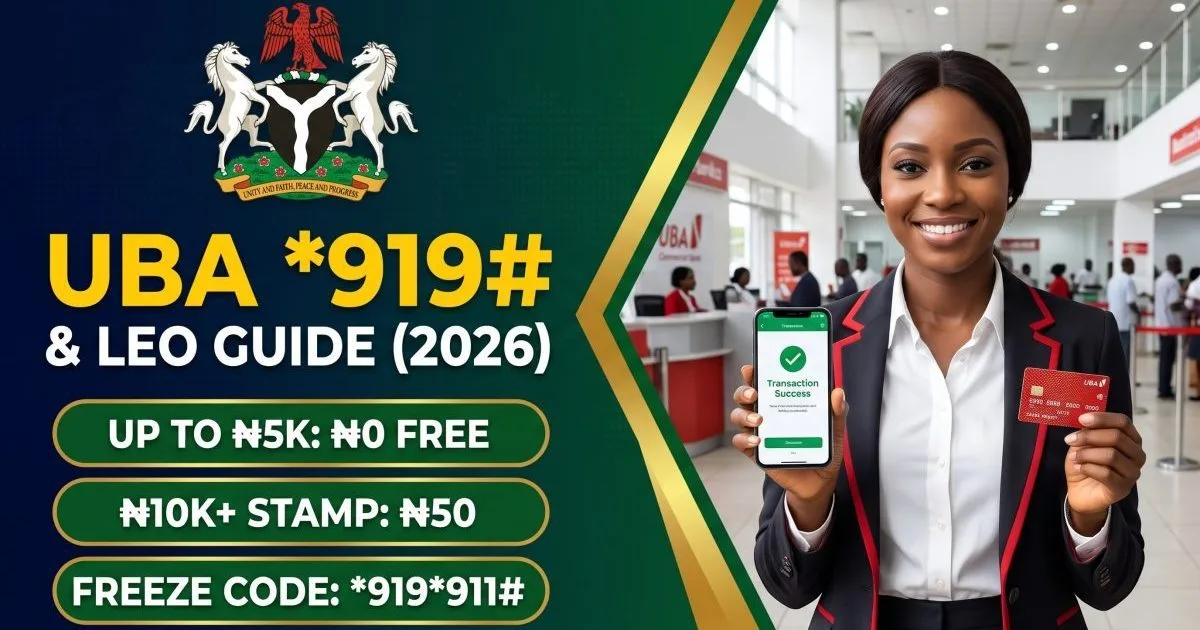
- 2026 Inter-Bank Transfer Fees (CBN May 2026 Guide): Under the Central Bank of Nigeria’s revised Guide to Charges (effective May 1, 2026), maximum bank fees for sending money from UBA to other Nigerian banks are ₦0 (Free) for transfers up to ₦5,000, ₦10 max for ₦5,001 – ₦50,000, and ₦50 max for transfers above ₦50,000.
- Sender-Paid ₦50 Stamp Duty (Since Jan 1, 2026): On inter-bank transfers of ₦10,000 or more, the sender pays an additional ₦50 government Stamp Duty (bringing total debit fees to ₦60 for ₦10,000–₦50,000 and ₦100 for ₦50,001+). Transfers below ₦10,000, salaries, and UBA-to-UBA transfers remain exempt.
- Watch UBA’s Unique Transfer Syntax (Account Number Comes FIRST!): Unlike Access, FirstBank, and Zenith (which put Amount first), UBA’s direct strings put the Account Number before the Amount: dial
*919*3*AccountNumber*Amount#(UBA-to-UBA) or*919*4*AccountNumber*Amount#(Other Banks). - ₦6.98 USSD Fee Comes From Airtime — Beat It With Leo or UBA Mobile: Under NCC/CBN End-User Billing (EUB), MTN/Airtel/Glo/9mobile deduct ₦6.98 per 120-second USSD session from your phone airtime. Using UBA Leo on WhatsApp (
+234 903 001 0007) or the UBA Mobile App skips the ₦6.98 airtime charge completely. - Emergency Freeze & Block Codes: Dial
*919*911#from any phone (or textFREEZE ACCOUNT/BLOCK CARDto Leo) to immediately freeze your UBA account or block a stolen debit card (self-service direct codes:*919*9#freeze account,*919*10#block card). - Official CFC & Fraud Help Desk Only: Reach UBA Customer Fulfilment Centre strictly on
07002255822(0700-CALL-UBA),02-012807000,02-012808822, Fraud Help Desk+234 02-012808800, orcfc@ubagroup.com—never share your 4-digit PIN, OTP, or Secure Pass U-Token code.
From Lagos commercial markets and university campuses to pan-African corporate desks across Nigeria, United Bank for Africa (UBA) gives customers three powerful digital rails: the offline *919# Magic Banking USSD code, the UBA Mobile App (secured by the UBA Secure Pass token app), and Africa’s pioneering AI banking assistant, Leo on WhatsApp and Facebook Messenger. Yet thousands of UBA account holders still get tripped up every week by mistyping UBA’s unique Account-First USSD transfer string, hitting unexpected ₦0-airtime USSD disconnects, or misunderstanding why a ₦10,000 inter-bank transfer now carries ₦60 in combined deductions.
 Advertisement
Those changes reflect three nationwide regulatory shifts rolled out across Nigeria between June 2025 and July 2026. First, the NCC and CBN implemented End-User Billing (EUB), moving the ₦6.98 per-session USSD fee straight onto your mobile airtime balance. Second, effective January 1, 2026, Nigeria’s tax reform shifted the ₦50 Stamp Duty onto the sender for inter-bank transfers of ₦10,000 and above. Third, the CBN lowered small inter-bank transfer fees on May 1, 2026 (making transfers up to ₦5,000 free of bank charges) and enforced customer-controlled app limits, single-device app sessions, and a mandatory 24-hour ₦20,000 cap on newly opened accounts or freshly installed apps starting July 1, 2026.
In this comprehensive, live-verified 2026 handbook, the NaijaSabi Editorial Desk lays out every working UBA *919# shortcode, exact worked transfer cost tables from ₦2,000 to ₦1,000,000, a complete walkthrough of UBA Leo WhatsApp Banking, how to activate the UBA Secure Pass (U-Token) app to raise daily limits, emergency *919*911# phone-theft freezing steps, failed-transfer reversal protocols, and anti-scam warnings.
1. UBA Transfer Charges in 2026 (CBN May 2026 Fees + ₦50 Sender Stamp Duty)
When you transfer money from UBA to any other Nigerian bank or fintech (Access Bank, FirstBank, Zenith, GTBank, OPay, Moniepoint, or PalmPay) via *919#, UBA Mobile, or Leo, two separate regulatory deductions determine your total cost (see our full national breakdown in Bank Transfer Charges in Nigeria 2026):
| Transfer Amount Band (To Other Nigerian Banks) | Old 2020 CBN Fee | 2026 CBN Max Bank Fee (Effective May 1, 2026) | Sender Stamp Duty (Effective Jan 1, 2026) |
|---|---|---|---|
| Up to ₦5,000 | ₦10 | ₦0 (Free) | ₦0 (Exempt below ₦10,000) |
| ₦5,001 – ₦9,999 | ₦25 | ₦10 max | ₦0 (Exempt below ₦10,000) |
| ₦10,000 – ₦50,000 | ₦25 | ₦10 max | ₦50 (Paid by Sender) |
| Above ₦50,000 (₦50,001 to ₦25M+) | ₦50 | ₦50 max | ₦50 (Paid by Sender) |
| UBA to UBA (Intra-Bank) | ₦0 | ₦0 (Free) | ₦0 (Same-bank transfers are exempt!) |
Other 2026 CBN Consumer Reliefs on UBA Accounts: The legacy ₦50 monthly Naira debit card maintenance charge has been abolished under the 2026 Guide to Charges, email transaction alerts are 100% free (disable paid SMS alerts if you want zero monthly SMS recovery charges), and cash withdrawals remain free on UBA ATMs (₦100 per ₦20,000 on other banks’ on-site ATMs, and up to ₦500 per ₦20,000 at off-site machines).
2. Worked Transfer Cost Table: Sending ₦2,000 to ₦1,000,000 From UBA
Here is the exact debit charge leaving your UBA account on inter-bank transfers (excluding the separate ₦6.98 mobile airtime deduction if you use *919# instead of UBA Mobile or Leo—compare side by side with our Access Bank *901#, FirstBank *894#, Zenith Bank *966#, and GTBank *737# guides):
| Amount Sent (To Another Bank) | Max Bank Fee | Sender Stamp Duty | Total Account Debit Charge |
|---|---|---|---|
| ₦2,000 or ₦5,000 | ₦0 | ₦0 | ₦0 (Completely Free) |
| ₦9,999 | ₦10 | ₦0 | ₦10 |
| ₦10,000 (Crosses ₦50 Stamp Duty line) | ₦10 | ₦50 | ₦60 |
| ₦50,000 | ₦10 | ₦50 | ₦60 |
| ₦50,001 to ₦1,000,000+ | ₦50 | ₦50 | ₦100 Flat |
3. Complete List of UBA *919# Magic Banking Codes (2026 Working Cheat Sheet)
Dial every Magic Banking code strictly from the mobile number linked to your UBA account (except the emergency 3rd-party freeze code *919*911#, which works from any phone in Nigeria). Bookmark our master All Nigerian Bank & Telecom USSD Codes 2026 Directory for quick access across all banks:
| Banking Action / Service | Official UBA USSD Code | Example / Quick Usage Note |
|---|---|---|
| UBA Magic Banking Main Menu | *919# |
Opens full interactive menu (Airtime, Data, Transfers, Bills, Balance, Cardless) |
| Open a New UBA Account Instantly | *919*20# |
Or open online via aop.ubagroup.com / text ACCOUNT OPENING to Leo |
| Check Account Balance | *919*00# |
Requires prior *919# enrolment & 4-digit PIN |
| Transfer to Another UBA Account | *919*3*AccountNumber*Amount# |
Account First! e.g., *919*3*2012345678*5000# (₦0 fee, ₦0 stamp duty) |
| Transfer to Other Nigerian Banks | *919*4*AccountNumber*Amount# |
Account First! e.g., *919*4*0123456789*15000# → pick bank → confirm name |
| Buy Airtime for Yourself | *919*Amount# |
e.g., *919*1000# → instant self-top-up |
| Buy Airtime for Someone Else | *919*PhoneNumber*Amount# |
Phone number first, then amount (or dial *919# → Airtime) |
| Buy Mobile Data / Pay Bills | *919*14# (Data) / *919*5# (Bills) |
Recharge MTN/Airtel/Glo/9mobile data, DStv, GOtv, StarTimes & electricity |
| Load UBA Prepaid Card | *919*32# |
Fund your UBA Prepaid Visa/Mastercard/Verve directly |
| Block Debit Card / Freeze Own Account | *919*10# (Card) / *919*9# (Account) |
Fast self-service blocks from your registered line |
| Emergency 3rd-Party Freeze / Block Card | *919*911# |
Works from ANY phone in Nigeria to freeze your account or block your stolen card immediately |
4. How to Register *919# & Send Money Offline Without Reversing the Code Syntax
Enrolling on UBA Magic Banking takes under 60 seconds—and knowing UBA’s exact syntax prevents failed USSD sessions that waste your ₦6.98 airtime:
First-Time *919# Enrolment
- From the phone number linked to your UBA account, dial
*919#. - Follow the prompt to accept the terms and select Sign Up / Register (choosing either your active UBA Debit Card digits or your UBA Account + Prepaid Card/PIN option as prompted).
- Create and confirm a secure 4-digit Magic Banking PIN (avoid
1234,0000, or your birth year).
Watch Out for UBA’s “Account Number First” Transfer Rule!
If you also bank with Access (*901*Amount*Acct#), FirstBank (*894*Amount*Acct#), or Zenith (*966*Amount*Acct#), muscle memory can trick you into dialling the amount first on UBA. On UBA Magic Banking, always place the 10-digit Account Number BEFORE the Amount:
- To a UBA Account:
*919*3*2012345678*10000# - To Another Bank:
*919*4*0123456789*10000#→ choose the recipient’s bank → verify the exact full name displayed on screen → enter your 4-digit PIN.
5. UBA Leo WhatsApp Banking Guide (2026): Official Number, Commands & Security Rules
One of UBA’s biggest advantages in 2026—especially now that USSD costs ₦6.98 per 120-second session from your airtime—is Leo, UBA’s official AI Virtual Banker operating 24/7 inside WhatsApp, Facebook Messenger, and Instagram. With Leo, you can transact using pennies of WhatsApp data with ₦0 USSD airtime fee and instant chat receipts.
How to Activate & Chat With UBA Leo Safely
- Save UBA’s official verified Nigeria Leo WhatsApp number:
+234 903 001 0007(or start directly from the official chat link on ubagroup.com or Facebook Messenger atm.me/ubachatbanking). - Open WhatsApp and confirm the profile shows UBA’s official verified Business Account badge before typing anything.
- Send “Hi” to Leo and follow the secure in-link enrolment prompts (note: Leo collects sensitive inputs like your PIN or OTP strictly inside an encrypted secure web view—never type your full debit card PAN or CVV directly into plain WhatsApp chat!).
Top 6 Instant Text Commands You Can Send to Leo Anytime
CHECK BALANCE— Pulls your live account balance in seconds after PIN authentication.TRANSFER— Send money to UBA or other Nigerian banks with clear fee summaries.ACCOUNT STATEMENT— Requests an official statement delivered cleanly to your registered email.ACCOUNT OPENING— Opens a brand-new UBA account straight inside chat.BLOCK CARD— Hotlists a misplaced or stolen UBA debit/prepaid card instantly.FREEZE ACCOUNT— Places an immediate security freeze on your account if you suspect fraud.
6. UBA Daily Transfer Limits (Tier 1, Tier 2, Tier 3, *919# & July 2026 CBN Rules)
Three overlapping limits control how much money you can move out of your UBA account daily in 2026: your KYC Tier, your Channel Authentication (PIN-only vs. UBA Secure Pass U-Token), and the CBN’s mandatory July 1, 2026 anti-fraud rules:
| Account Tier / Channel Rule | 2026 Verified Limit / Ceiling | Key Operational Requirement |
|---|---|---|
| Tier 1 Account (Basic BVN + NIN) | ₦50,000 daily cumulative transfer (₦300,000 max balance cap) | Applies to basic instant accounts opened via *919*20# or Leo until photo ID & address verification are lodged. |
| Tier 2 Account (BVN + NIN + Gov Photo ID) | ₦200,000 daily cumulative transfer (₦500,000 max balance cap) | Unlocks once valid government photo ID + NIN/BVN verification clear cleanly. |
| Tier 3 Account (Full Savings / Current + Address Verified) | Unlimited balance; up to ₦25,000,000/day CBN Individual Instant Transfer Ceiling (₦250M Corporate) | Individual limits above ₦1,000,000/day (and corporate limits above ₦10,000,000/day) require a signed bank indemnity + active UBA Secure Pass (U-Token) or Hardware Token. |
| *919# Magic Banking (PIN-Only Default) | Standard default up to ₦100,000/day (upgradable with U-Token / Secure Pass + indemnity) | Verify your live active daily channel cap inside UBA Mobile → Self-Service → Transaction Limit. |
| CBN July 1, 2026 New-Phone / New-Account Lock | Strict ₦20,000 Cap for First 24 Hours | Compulsory nationwide rule: newly opened accounts (₦20k in/out) and UBA Mobile freshly installed on a new phone (₦20k out) cannot bypass this 24-hour cooling window. |
7. How to Increase Your UBA Transfer Limit & Activate UBA Secure Pass (U-Token App)
Under CBN’s July 1, 2026 rules, you can directly raise, lower, or temporarily turn OFF instant transfers inside the official UBA Mobile App (go to Self-Service → Transaction Limit and follow the prompts). Before unlocking multi-million-naira limits (above ₦1,000,000/day individual or ₦10,000,000/day corporate), confirm your Tier 3 KYC is complete—including your verified 11-digit NIN (check yours via our NIN Check Guide)—and activate the official UBA Secure Pass soft-token app:
How to Download & Activate UBA Secure Pass (7 Verified Steps)
- Open the Google Play Store or Apple App Store and download the official “Secure Pass” app published by United Bank for Africa.
- Open the app, enter your UBA Mobile App or Internet Banking User ID, select Nigeria as your domicile country, and tap OK.
- Enter the One-Time Password (OTP) sent to your registered UBA email or phone number.
- Tap “I’d like to request a U-token” and choose Install (for first-time users) or Re-install (if moving from an older device).
- Tap “Activate UBA SecurePass”, assign a custom Token Identity name, and tap Next.
- Create and confirm a secure app Passcode and toggle Biometric Authentication ON for faster sign-ins.
- Tap Save—your Secure Pass app now generates live 6-digit U-Token security codes to authorise high-value transfers cleanly on UBA Mobile, Internet Banking, and Leo!
8. Emergency Theft Protection: Freeze Account & Block Card With *919*911# or Leo
If your smartphone or wallet is stolen, UBA gives you three fast kill-switches so thieves cannot empty your savings:
- Option 1 — Dial
*919*911#From ANY Phone (Fastest Offline Freeze): Borrow any working Nigerian phone immediately, dial*919*911#, and follow the prompt to freeze your UBA account or block your stolen debit card right away. (If you still have your registered line in hand, you can also dial*919*9#to freeze your account or*919*10#to block your card.) - Option 2 — Chat With Leo From Another Device: Log into Facebook Messenger (
m.me/ubachatbanking) or WhatsApp Leo (+234 903 001 0007) and sendFREEZE ACCOUNTorBLOCK CARDto lock down your profile within seconds. - Option 3 — Call UBA’s 24/7 Fraud Help Desk & CFC Immediately: Dial
07002255822(0700-CALL-UBA),02-012808822, or the dedicated Fraud Help Desk at+234 02-012808800(or emailcfc@ubagroup.com) to confirm a full security hold. - Suspend Your Stolen SIM Card Immediately: Call MTN, Airtel, Glo, or 9mobile to bar your SIM line—and consider moving your primary banking number to an eSIM on your next smartphone so thieves cannot physically remove your SIM card (see our Nigeria eSIM Setup Guide 2026).
9. Debited Without Credit? How to Reverse a Failed UBA Transfer Fast
If a *919#, Leo, or UBA Mobile transfer debits your account during inter-bank network congestion without crediting the beneficiary, never rush to send a duplicate payment. Follow this exact CBN-backed recovery protocol:
- Confirm Live Balances First: Dial
*919*00#(or check UBA Mobile) to confirm the debit posted, and ask the recipient to refresh their own bank app rather than relying solely on delayed SMS alerts. - Allow Up to 24 Hours for Automated NIP Reversal: Failed NIBSS Instant Payment (NIP) debits are programmed to reverse automatically back into your UBA account within a few hours to 24–48 hours.
- Log a Formal Dispute Ticket With Complete Transaction Details: If your money has not returned after 24 hours, log a dispute inside the UBA Mobile App, chat with Leo, call
07002255822/02-012807000, or emailcfc@ubagroup.comattaching:- Your 10-digit UBA Account Number
- Exact Date, Time & Amount debited
- Recipient’s Bank Name, Account Number & Account Name
- Transaction Reference / Session ID from your UBA Mobile/Leo receipt
- Escalate to CBN With Your Ticket Number If Delayed: Insist on receiving a written Tracking / Ticket Reference Number from UBA CFC. If a verified failed transfer stays unresolved past the bank’s SLA (or 14 days for unresolved escalations), escalate formally to the CBN Consumer Protection Department at
contactcbn@cbn.gov.ngor+234-70-0225-5226quoting your UBA ticket number.
10. Troubleshooting *919# Errors (₦6.98 Airtime EUB, Wrong SIM & 24-Hour New Phone Lock)
Fix the five most frequent UBA digital banking errors yourself in under two minutes before queuing at a branch:
- Error 1 —
*919#Fails Immediately or Shows “Connection Problem / MMI Error”: Under NCC End-User Billing (EUB), MTN, Airtel, Glo, and 9mobile deduct ₦6.98 per 120-second USSD session directly from your main airtime balance (UBA must not double-charge your bank account!). Confirm you hold at least ₦10–₦20 in main airtime on your registered SIM and toggle Airplane Mode ON/OFF for 10 seconds—or switch to UBA Leo / UBA Mobile to pay ₦0 USSD airtime fees. - Error 2 — “Invalid Account / Transfer Failed” on Direct Strings: Double-check you did not swap the syntax! Remember UBA requires Account Number first, then Amount (
*919*4*AccountNumber*Amount#). - Error 3 — “Number Not Registered” on Dual-SIM Phones: Make sure you dial
*919#strictly from the SIM slot matching your UBA alert phone number—not your secondary data SIM. - Error 4 — UBA Mobile Stuck at ₦20,000 Outgoing Limit on a New Phone: Under CBN’s compulsory July 1, 2026 security rule, installing UBA Mobile on a brand-new smartphone (or reinstalling after a reset) enforces a strict 24-hour ₦20,000 outgoing transfer cap and logs out any second phone (banking apps run on one active device at a time). Wait the full 24 hours for your full Tier 3 limit to restore automatically.
- Error 5 — Account Placed on Post-No-Debit (PND): Almost always caused by an unlinked NIN or mismatched BVN/NIN name. Regularise your KYC promptly through UBA’s self-service channels on ubagroup.com/nigeria/self-service or your nearest UBA branch with your NIN Slip and utility bill.
11. Anti-Scam Warning: Fake Leo WhatsApp Clones, Bogus CFC Numbers & U-Token Thieves
Official Anti-Fraud Warning: 4 Banking Scams Targeting UBA Customers in 2026
- Fake “UBA Leo Support” Accounts on WhatsApp & Facebook: Scammers create fake WhatsApp accounts using UBA’s red logo and message customers who complain publicly on X (Twitter) or Facebook. Always verify the official WhatsApp number (
+234 903 001 0007), the verified Business badge, and the official Messenger URL (m.me/ubachatbanking). Real Leo responds automatically within seconds and never asks for your full ATM card number or 3-digit CVV! - Never Read Out a Secure Pass (U-Token) Code or OTP on a Phone Call: Fraudsters posing as “UBA Fraud Desk” or “CBN KYC agents” call claiming an unauthorised transfer is pending and ask you to read out the 6-digit code from your UBA Secure Pass app or SMS OTP to “cancel it.” Reading that code authorises them to drain your account immediately.
- Never Dial USSD Strings Sent by Buyers or Strangers: Scammers disguise real transfers like
*919*4*0123456789*50000#as “escrow release” or “NIN update” codes. Never enter your 4-digit PIN on any USSD string dictated by a stranger. - Verify Official UBA Contacts Only: UBA’s verified CFC lines are
07002255822,02-012807000,02-012808822, Fraud Desk+234 02-012808800, andcfc@ubagroup.com. Enable a 4-digit SIM PIN inside your phone settings to block offline SIM theft.
12. Frequently Asked Questions (FAQs)
1. How much is the UBA transfer charge to other banks in 2026?
Under the CBN 2026 Guide to Charges (effective May 1, 2026) and the January 2026 Stamp Duty reform, sending up to ₦5,000 to another Nigerian bank attracts ₦0 (Free), sending ₦5,001 to ₦9,999 costs up to ₦10, sending ₦10,000 to ₦50,000 costs up to ₦60 (₦10 bank fee + ₦50 sender Stamp Duty), and sending above ₦50,000 costs up to ₦100 (₦50 bank fee + ₦50 sender Stamp Duty). UBA-to-UBA transfers remain ₦0 and exempt from Stamp Duty.
2. What is the exact UBA *919# code to transfer money to UBA and other banks?
UBA places the Account Number first and Amount second: dial *919*3*AccountNumber*Amount# to transfer to another UBA account, or dial *919*4*AccountNumber*Amount# to transfer to other Nigerian banks—then pick the recipient’s bank, verify the account name on screen, and authorise with your 4-digit PIN.
3. What is the official UBA Leo WhatsApp number in Nigeria, and does Leo charge the ₦6.98 USSD fee?
UBA Nigeria’s official Leo WhatsApp number is +234 903 001 0007 (also accessible via m.me/ubachatbanking on Facebook Messenger and verified links on ubagroup.com). Because Leo runs over internet data rather than telecom USSD rails, transacting on Leo incurs ₦0 airtime USSD fee—only standard transfer charges apply where applicable.
4. How do I block my UBA ATM card or freeze my account immediately if my phone is stolen?
Borrow any mobile phone in Nigeria right away and dial *919*911# to freeze your account or block your debit card immediately (or text FREEZE ACCOUNT / BLOCK CARD to Leo). Follow up immediately by calling UBA’s 24/7 Fraud Help Desk on +234 02-012808800 or CFC on 07002255822.
5. How do I increase my UBA daily transfer limit in 2026?
First ensure your account is upgraded to Tier 3 KYC (verified BVN, NIN, government ID, and utility bill). Next, open the official UBA Mobile App → Self-Service → Transaction Limit to adjust your daily ceiling—and download/activate the official UBA Secure Pass (U-Token) app (plus sign the bank indemnity) to unlock multi-million-naira daily transfers up to the CBN ceiling.
Editorial Verification Note: Compiled and fact-checked by the NaijaSabi Editorial Desk on November 24, 2026, referencing official United Bank for Africa (UBA) Nigeria digital banking, Leo, Secure Pass, and self-service guides (ubagroup.com), the Central Bank of Nigeria (CBN) 2026 Guide to Charges (effective May 1, 2026), CBN’s transfer-limit framework (effective July 1, 2026), Nigeria’s January 1, 2026 Stamp Duty provisions, and the Nigerian Communications Commission (NCC) End-User Billing (EUB) policy (ncc.gov.ng). Always confirm live fees and limits displayed inside UBA Mobile, Leo, or on the *919# prompt before confirming any transaction.
Get the NaijaSabi Morning Brief
Verified daily Naira FX rates, fuel & food prices, and open Nigerian job portals — zero spam, unsubscribe anytime.


0 Comments
No comments yet. Be the first to share your thoughts!