




Key Takeaways: FirstBank *894# Charges, Quick Banking Limits & Codes (2026)
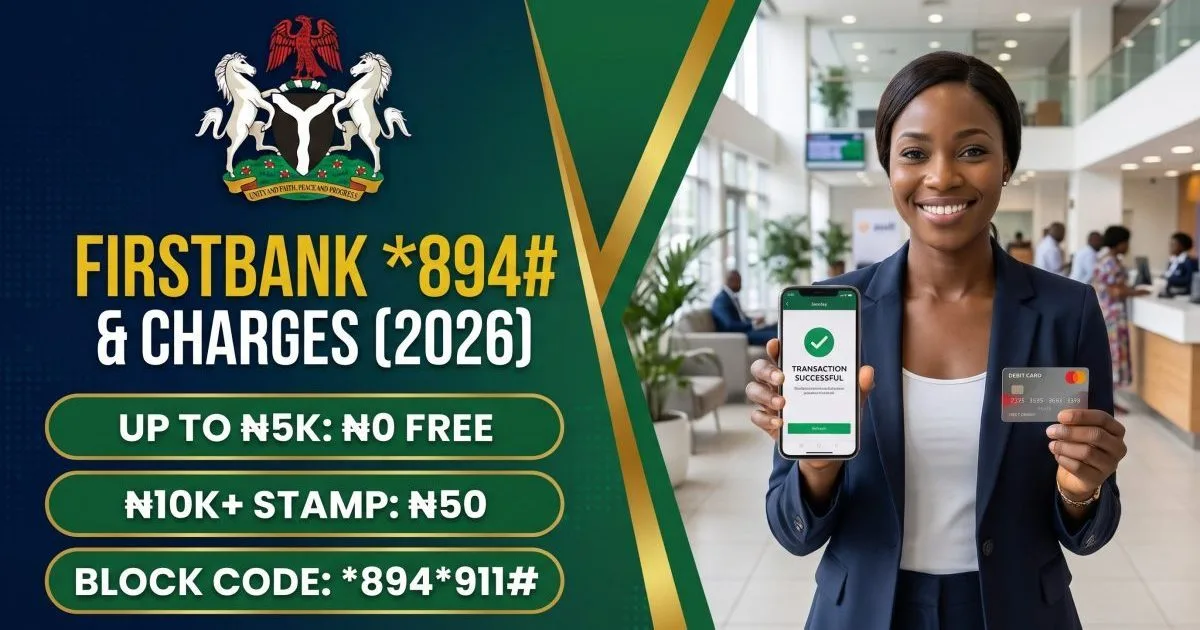
- 2026 Inter-Bank Transfer Fees (CBN May 2026 Guide): Under the Central Bank of Nigeria’s revised Guide to Charges (effective May 1, 2026), maximum bank fees for transfers from FirstBank to other Nigerian banks are ₦0 (Free) for transfers up to ₦5,000, ₦10 max for ₦5,001 – ₦50,000, and ₦50 max for transfers above ₦50,000.
- Sender-Paid ₦50 Stamp Duty (Since Jan 1, 2026): On inter-bank transfers of ₦10,000 or more, the sender pays an additional ₦50 government Stamp Duty (bringing total debit fees to ₦60 for ₦10,000–₦50,000 and ₦100 for ₦50,001+). Transfers under ₦10,000, salaries, and FirstBank-to-FirstBank transfers remain exempt.
- ₦6.98 USSD Session Fee Comes From Airtime (NCC End-User Billing): Your telecom operator (MTN, Airtel, Glo, or 9mobile) deducts ₦6.98 per 120-second USSD session directly from your phone airtime balance—FirstBank does not double-charge your bank account for USSD sessions.
- Essential FirstBank *894# Codes (5-Digit PIN!): Main menu
*894#| Register/Reset 5-Digit PIN*894*0#| Transfer*894*Amount*AccountNumber#| Balance*894*00#| Mini Statement*894*AccountNumber#| Emergency Block from any phone*894*911#. - July 2026 Transfer Limit & Security Rules: Under CBN’s July 1, 2026 directive, you can self-adjust your daily transfer ceiling inside the FirstMobile app (up to your KYC tier / CBN’s ₦25M personal & ₦250M corporate instant ceiling), run FirstMobile on only one device at a time, and must observe the mandatory 24-hour ₦20,000 cap on newly opened accounts or freshly installed mobile apps.
- Official FirstContact Support Only: For disputed transfers or fraud emergencies, contact FirstBank strictly via
0700FIRSTCONTACT(0700-34778-2668228),0708-062-5000, orfirstcontact@firstbanknigeria.com(verify live numbers on firstbanknigeria.com)—never disclose your 5-digit PIN, ATM card CVV, or hardware token code.
From Lagos markets and Abuja offices to rural towns where 4G mobile data drops out frequently, FirstBank’s *894# Quick Banking remains one of Nigeria’s most heavily used offline financial lifelines—paired with the FirstMobile app for millions of retail customers, civil servants, pensioners, and SME owners. Yet if you are still budgeting your transfers using pre-2026 fee sheets—or wondering why *894# suddenly demands active airtime or caps a newly reinstalled FirstMobile app at ₦20,000—three major regulatory updates explain everything.
 Advertisement
Between June 2025 and July 2026, Nigerian banking rules underwent a complete structural reset. First, the NCC and CBN shifted USSD charges onto End-User Billing (EUB), meaning your network deducts ₦6.98 per 120-second session straight from your airtime rather than your FirstBank account. Second, Nigeria’s tax reform shifted the ₦50 Stamp Duty onto the sender for inter-bank transfers of ₦10,000 and above from January 1, 2026. Third, the CBN cut small inter-bank transfer fees on May 1, 2026 (making transfers up to ₦5,000 completely free of bank fees) and enforced self-adjustable app limits plus strict 24-hour new-device fraud caps from July 1, 2026.
In this comprehensive, anti-scam 2026 manual, the NaijaSabi Editorial Desk lays out every working FirstBank *894# shortcode, exact worked transfer cost tables from ₦2,000 to ₦1,000,000, KYC Tier 1/2/3 and Quick Banking vs. FirstMobile daily limits, step-by-step failed transfer reversal procedures, instant *894*911# phone-theft protection, and the exact scams currently targeting FirstBank customers.
1. FirstBank Transfer Charges in 2026 (CBN May 2026 Fees + ₦50 Sender Stamp Duty)
Whenever you transfer funds from FirstBank to another Nigerian commercial bank or fintech (such as Access Bank, GTBank, Zenith, UBA, OPay, Moniepoint, or PalmPay) via *894# or FirstMobile, your total deduction combines two distinct regulatory charges: the CBN-capped bank transfer fee and the Federal Government Stamp Duty (read our full parent breakdown in Bank Transfer Charges in Nigeria 2026):
| Transfer Amount Band (To Other Nigerian Banks) | Old 2020 CBN Fee | 2026 CBN Max Bank Fee (Effective May 1, 2026) | Sender Stamp Duty (Effective Jan 1, 2026) |
|---|---|---|---|
| Up to ₦5,000 | ₦10 | ₦0 (Free) | ₦0 (Exempt below ₦10,000) |
| ₦5,001 – ₦9,999 | ₦25 | ₦10 max | ₦0 (Exempt below ₦10,000) |
| ₦10,000 – ₦50,000 | ₦25 | ₦10 max | ₦50 (Paid by Sender) |
| Above ₦50,000 (₦50,001 to ₦25M+) | ₦50 | ₦50 max | ₦50 (Paid by Sender) |
| FirstBank to FirstBank (Intra-Bank) | ₦0 | ₦0 (Free) | ₦0 (Same-bank transfers are exempt) |
Other 2026 CBN Consumer Reliefs Applying to FirstBank Accounts: The legacy ₦50 monthly Naira debit card maintenance fee has been scrapped under the 2026 Guide to Charges, email transaction alerts are 100% free (disable paid SMS alerts if you want zero monthly SMS recovery charges), and cash withdrawals on FirstBank ATMs remain free (while withdrawals on other banks’ ATMs attract ₦100 per ₦20,000 on-site and up to ₦500 per ₦20,000 at off-site locations).
2. Worked Transfer Cost Table: Sending ₦2,000 to ₦1,000,000 From FirstBank
To see exactly how much leaves your FirstBank balance on an inter-bank transfer (excluding the separate ₦6.98 telecom airtime charge if you use *894# instead of FirstMobile), check these worked examples (comparing directly with our Access Bank *901# Guide and GTBank *737# Guide):
| Amount Sent (To Another Bank) | Max Bank Fee | Sender Stamp Duty | Total Account Debit Charge |
|---|---|---|---|
| ₦2,000 or ₦5,000 | ₦0 | ₦0 | ₦0 (Free) |
| ₦9,999 | ₦10 | ₦0 | ₦10 |
| ₦10,000 (Triggers ₦50 Stamp Duty) | ₦10 | ₦50 | ₦60 |
| ₦45,000 or ₦50,000 | ₦10 | ₦50 | ₦60 |
| ₦50,001 to ₦1,000,000+ | ₦50 | ₦50 | ₦100 Flat |
Practical Money-Saving Tip: Consolidate large bills into a single transfer whenever possible—sending one ₦300,000 transfer costs ₦100 total, whereas splitting it into six ₦50,000 transfers burns ₦360 in combined fees and Stamp Duty. And if your payee also banks with FirstBank, FirstBank-to-FirstBank transfers cost ₦0 regardless of the amount.
3. Complete List of FirstBank *894# Quick Banking USSD Codes (2026 Cheat Sheet)
Dial every Quick Banking string strictly from the Nigerian mobile line registered to your FirstBank account (except the emergency kill-switch *894*911#, which works from any phone). Bookmark our master All Nigerian Bank & Telecom USSD Codes 2026 Directory for every other bank shortcode:
| Banking Action / Service | Official FirstBank USSD Code | Example / Quick Usage Note |
|---|---|---|
| FirstBank Quick Banking Main Menu | *894# |
Opens full menu (Quick Banking, Open Account, Loans, FirstMonie, Bills & Data) |
| Register *894# / Reset 5-Digit PIN | *894*0# |
Verify with linked FirstBank Naira debit card & create your 5-digit PIN |
| Transfer to Any Bank (Fast String) | *894*Amount*AccountNumber# |
e.g., *894*5000*3012345678# → pick bank → verify name → enter 5-digit PIN |
| Check Account Balance | *894*00# |
Confirm with your 5-digit Quick Banking PIN |
| Check Mini Account Statement | *894*AccountNumber# |
View recent transactions on your FirstBank account |
| Buy Airtime for Yourself | *894*Amount# |
e.g., *894*1000# → instant self-recharge |
| Buy Airtime for Someone Else | *894*Amount*PhoneNumber# |
e.g., *894*500*08012345678# → confirm with 5-digit PIN |
| Buy Mobile Data & Pay Bills | *894# → Select Data / Pay Bills |
Recharge MTN/Airtel/Glo/9mobile data, DStv/GOtv/StarTimes & electricity bills |
| FirstAdvance (Salary Loan) | *894*11# |
For eligible FirstBank salary account holders (verify live interest terms on screen) |
| Emergency Deactivate / Block *894# | *894*911# |
Dial from ANY Nigerian phone to deactivate your stolen/lost phone number immediately |
4. How to Register *894#, Create or Reset Your 5-Digit PIN & Transfer Money Fast
One signature quirk that catches new FirstBank customers off guard is that while most Nigerian banks use a 4-digit USSD PIN, FirstBank’s *894# Quick Banking strictly uses a 5-digit transaction PIN (and verifies setup via an active FirstBank Naira debit card linked to your account).
How to Activate *894# or Reset a Forgotten 5-Digit PIN
- Dial
*894*0#from the mobile number registered to your FirstBank account. - A masked list of Naira debit cards linked to your account appears on screen—select your active ATM card.
- Enter the 4-digit ATM card PIN of that selected card to authenticate your identity.
- Create and confirm your new 5-digit Quick Banking PIN (avoid obvious patterns like
12345or your birth year).
Fastest Way to Send Money Offline (Beats the 120-Second USSD Timer)
- Verify you have at least ₦10–₦20 in active airtime on your registered SIM and copy down the recipient’s 10-digit account number before dialling.
- Dial
*894*Amount*AccountNumber#(for example,*894*25000*0123456789#). - Accept the NCC ₦6.98 airtime billing prompt if displayed.
- Pick the recipient’s bank from the numbered options and verify the exact recipient account name displayed on screen. Never authorise if the name looks unfamiliar!
- Enter your 5-digit
*894#PIN to confirm and wait for the completion pop-up.
5. NCC End-User Billing (EUB): Why *894# Now Requires Active Mobile Airtime (₦6.98)
If your *894# session immediately displays an error even though your FirstBank account is funded, check your phone airtime balance first. Under the joint NCC & CBN End-User Billing (EUB) framework:
- Billed Strictly From Phone Airtime: MTN, Airtel, Glo, and 9mobile deduct ₦6.98 per 120-second USSD session straight from your main mobile airtime balance (bonus/promo airtime usually does not work) once you accept the on-screen consent prompt.
- Zero Double-Charging Allowed: FirstBank must not deduct an extra USSD session fee from your bank balance on top of your network’s ₦6.98 airtime charge. If you ever notice duplicate USSD deductions on your statement alongside airtime deductions, report it to CBN Consumer Protection (
+234-70-0225-5226/contactcbn@cbn.gov.ng) or the NCC Toll-Free Helpline622. - Save ₦6.98 Every Time: Whenever you have mobile data or Wi-Fi, execute transfers on the official FirstMobile app—app transfers incur ₦0 airtime USSD charge and give you downloadable PDF receipts instantly.
6. FirstBank Daily Transfer Limits (Tier 1, Tier 2, Tier 3, *894# & July 2026 CBN Rules)
Your maximum daily transfer capacity at FirstBank depends on three overlapping controls: your KYC Tier, your Channel Authentication (*894# PIN-only vs. FirstMobile + Hardware/Soft Token), and the CBN’s mandatory July 1, 2026 transfer-limit safeguards:
| Account Tier / Channel Rule | 2026 Verified Limit / Ceiling | Key Operational Requirement |
|---|---|---|
| Tier 1 Account (Basic BVN + NIN) | ₦50,000 daily cumulative transfer (₦300,000 max balance cap) | Standard CBN cap for basic instant/phone-opened accounts until ID and address are verified. |
| Tier 2 Account (BVN + NIN + Gov Photo ID) | ₦200,000 daily cumulative transfer (₦500,000 max balance cap) | Requires verified NIN/BVN plus valid government-issued photo ID. |
| Tier 3 Account (Full KYC + Utility Bill / Address Verified) | Unlimited balance; up to ₦25,000,000/day CBN Individual Instant Transfer Ceiling (₦250M Corporate) | Limits above ₦1,000,000/day (individual) or ₦10,000,000/day (corporate) require a signed bank indemnity + active Token authentication. |
| *894# Quick Banking (5-Digit PIN Only) | Standard default up to ₦100,000/day (lower per-tx caps apply without token; verify your live cap) | Higher offline/mobile limits require FirstBank’s Hardware Token or FirstMobile Soft Token + indemnity. |
| CBN July 1, 2026 New-Device / New-Account Lock | Strict ₦20,000 Cap for First 24 Hours | Applies automatically to newly opened accounts (₦20k in/out) and FirstMobile freshly installed on a new phone (₦20k out). |
7. How to Upgrade Your FirstBank Transfer Limit on FirstMobile & With a Hardware/Soft Token
Under the CBN’s July 1, 2026 customer-control rules, you no longer have to remain stuck at a rigid default limit—or stay exposed to a huge limit you rarely use. Follow these four steps to customize your FirstBank daily transfer limit cleanly:
- Confirm Full Tier 3 KYC Status First: Ensure your BVN and NIN (check your 11-digit NIN using our NIN Check Guide) are properly linked to your FirstBank profile, alongside a valid government ID and verified residential utility bill.
- Adjust Your Daily Limit Directly Inside FirstMobile: Open the official FirstMobile app → navigate to Settings / Account Settings → Transaction Limit Management. You can dial your daily limit up (within your authenticated ceiling) or dial it down—and even toggle instant transfers OFF completely while travelling or sleeping for extra peace of mind.
- Activate a FirstBank Hardware Token or Soft Token (FirstToken): For multi-million-naira transfers above standard PIN-only caps, visit any FirstBank branch (or follow FirstBank’s official token onboarding flow on firstbanknigeria.com) to activate a Hardware Token or Soft Token and sign the mandatory CBN Indemnity Form required for personal limits above ₦1,000,000/day (and corporate limits above ₦10,000,000/day).
- Remember the Single-Device Rule: Since July 1, 2026, Nigerian banking apps are restricted to one active smartphone at a time. Logging into FirstMobile on a new phone automatically signs out your previous phone and triggers the mandatory 24-hour ₦20,000 outgoing transfer cooling window.
8. Emergency Theft Protection: How to Block *894# Immediately With *894*911#
If your phone is stolen, lost in transit, or you suspect someone glimpsed your 5-digit PIN, act within 60 seconds using FirstBank’s nationwide emergency kill-switch—it works from ANY mobile phone in Nigeria:
- Borrow any working phone immediately and dial
*894*911#. - Follow the on-screen prompt and enter the mobile phone number linked to your FirstBank account.
- Confirm deactivation—this instantly disconnects your phone number from
*894#Quick Banking so a thief cannot transfer funds or buy airtime offline! - Freeze Your ATM Cards & FirstMobile Too: Immediately call FirstContact 24/7 on
0700FIRSTCONTACT(0700-34778-2668228) or0708-062-5000(or emailfirstcontact@firstbanknigeria.com) to place a full Post-No-Debit (PND) restriction on your account and hotlist your ATM card. - Block Your Stolen SIM Card: Call MTN, Airtel, Glo, or 9mobile right away to suspend the stolen line—and consider upgrading to an eSIM on your replacement smartphone so thieves cannot physically eject your SIM card (see our Nigeria eSIM Setup Guide 2026).
Note: Once you recover your phone or complete a legitimate SIM replacement, visit any FirstBank branch with valid government ID to lift the security hold and reactivate *894# safely.
9. Debited Without Credit? How to Reverse a Failed FirstBank Transfer Fast
When a *894# or FirstMobile transfer debits your account during network congestion without crediting the recipient, panic-resending the money is the #1 way people accidentally pay twice. Follow this exact CBN-backed recovery sequence instead:
- Verify Your Actual Balance & Ask the Recipient to Refresh Their App: Dial
*894*00#(or refresh FirstMobile) to confirm the debit actually posted, and ask the recipient to check their live balance inside their bank app rather than relying solely on delayed SMS alerts. - Allow Up to 24 Hours for Automated NIP Reversal: Failed NIBSS Instant Payment (NIP) debits are programmed to reverse automatically back into your FirstBank account within a few hours to 24–48 hours.
- Log a Formal Dispute Ticket With Complete Proof: If the funds do not return automatically after 24 hours, log a dispute directly inside the FirstMobile app (Dispute / Help), call
0700-34778-2668228/0708-062-5000, or emailfirstcontact@firstbanknigeria.comattaching:- Your 10-digit FirstBank Account Number
- Exact Date, Time & Amount debited
- Recipient’s Bank Name, Account Number & Account Name
- Transaction Reference / Session ID from your FirstMobile receipt or SMS alert
- Escalate With Your Ticket Reference if Delayed: Always insist on receiving a written Dispute Tracking / Ticket Number. If a verified failed transfer stays unresolved beyond FirstBank’s SLA (or 14 days for unresolved escalations), escalate directly to the CBN Consumer Protection Department at
contactcbn@cbn.gov.ngor+234-70-0225-5226citing your FirstBank ticket reference.
10. Troubleshooting *894# Errors (No Debit Card, Wrong SIM, PND & 24-Hour New Phone Lock)
Before taking half a day off work to queue inside a FirstBank branch, test these five fast fixes for the most common *894# and FirstMobile errors:
- Error 1 — “You Need an Active Debit Card” When Dialling
*894*0#: Standard FirstBank Quick Banking activation authenticates using a linked FirstBank Naira debit card (Verve/Mastercard/Visa). If your ATM card is expired or you never collected one, request an instant replacement card at your nearest FirstBank branch so you can complete*894*0#onboarding and FirstMobile activation smoothly. - Error 2 — “Connection Problem / Invalid MMI Code” or Instant Disconnect: Under NCC End-User Billing, verify you have at least ₦10–₦20 in main mobile airtime on the registered SIM, switch off Wi-Fi Calling briefly, and toggle Airplane Mode ON/OFF for 10 seconds to reconnect to your mobile tower.
- Error 3 — “Mobile Number Not Profiled / Unregistered”: On dual-SIM smartphones, confirm you are dialling
*894#strictly from the SIM slot holding the exact phone number registered on your FirstBank profile. If you permanently changed phone numbers, update your alert/profile number physically at a FirstBank branch with valid ID and BVN/NIN. - Error 4 — Account Restricted on Post-No-Debit (PND): Most commonly caused by an unlinked NIN, mismatched BVN/NIN name spelling, or expired Tier 1 KYC verification. Visit a FirstBank branch or official FirstBank NIN-linking portal (firstbanknigeria.com) to regularise your KYC immediately.
- Error 5 — FirstMobile Blocked Above ₦20,000 After Switching Phones: This is CBN’s compulsory July 1, 2026 24-hour anti-fraud lock whenever you install FirstMobile on a new device (including after swapping to a new eSIM phone). Wait the full 24 hours—your full Tier 3 daily limit restores automatically without visiting a branch.
11. Anti-Scam Warning: Fake FirstContact Lines, “5-Digit PIN” Tricks & Phishing Alerts
Official Anti-Fraud Warning: 4 Banking Scams Targeting FirstBank Customers in 2026
- Never Dial USSD Strings Sent by Strangers: Scammers posing as marketplace buyers, “FirstBank KYC upgrade officers,” or government grant agents dictate codes like
*894*50000*3012345678#claiming it will “credit your account” or “unlock your NIN.” The instant you enter your 5-digit PIN, you have transferred ₦50,000 straight into the fraudster’s account! - Fake Twitter/X, Facebook & Google Maps “FirstBank Support” Numbers: Fraud bots monitor social media complaints 24/7 and reply immediately with fake WhatsApp lines asking for your ATM card number, expiry date, CVV, OTP, or 5-digit PIN. Verify official support strictly on
firstbanknigeria.com—genuine FirstBank staff will NEVER ask for your PIN, password, card CVV, or token code. - Fake “Account Blocked — Click Link to Reactivate” SMS/Emails: Ignore lookalike links such as
firstbank-kyc-update.xyzorfirstmobile-verify.com. Always typefirstbanknigeria.commanually or open the official FirstMobile app directly. - Lock Your SIM Card With a SIM PIN: Turn on SIM PIN Lock in your phone’s security settings so a thief cannot pull out your physical SIM, drop it into another phone, and abuse
*894#before you dial*894*911#.
12. Frequently Asked Questions (FAQs)
1. How much is the FirstBank transfer charge to other banks in 2026?
Under the CBN 2026 Guide to Charges (effective May 1, 2026) and the January 2026 Stamp Duty rule, inter-bank transfers of up to ₦5,000 attract ₦0 (Free), transfers of ₦5,001 to ₦9,999 cost up to ₦10, transfers of ₦10,000 to ₦50,000 cost up to ₦60 (₦10 bank fee + ₦50 sender Stamp Duty), and transfers above ₦50,000 cost up to ₦100 (₦50 bank fee + ₦50 sender Stamp Duty). FirstBank-to-FirstBank transfers remain ₦0 and exempt from Stamp Duty.
2. What is the FirstBank *894# code to transfer money to other banks?
From the phone number registered to your FirstBank account, dial *894*Amount*AccountNumber# (e.g., *894*10000*0123456789#), select the recipient’s bank, confirm the recipient’s full name displayed on screen, and authorise using your 5-digit Quick Banking PIN.
3. Why does FirstBank *894# use a 5-digit PIN, and how do I reset it if I forget?
FirstBank Quick Banking uses a 5-digit PIN as an added security layer distinct from standard 4-digit ATM PINs. To create or reset your 5-digit PIN without visiting a branch, dial *894*0# from your registered phone number, select your linked Naira debit card, verify with your 4-digit ATM card PIN, and set a new 5-digit Quick Banking PIN.
4. Is the ₦6.98 USSD fee deducted from my FirstBank balance or my mobile airtime?
Under the NCC and CBN End-User Billing (EUB) policy, the ₦6.98 per 120-second USSD session fee is deducted strictly from your mobile airtime balance by MTN, Airtel, Glo, or 9mobile—not from your FirstBank account. Always keep at least ₦10–₦20 in main airtime before dialling *894#, or use the FirstMobile app over data/Wi-Fi to pay ₦0 USSD session fees.
5. How do I block my FirstBank *894# account immediately if my phone is stolen?
Borrow any mobile phone right away and dial *894*911#, then enter the phone number linked to your FirstBank account to deactivate *894# Quick Banking instantly. Immediately follow up by calling FirstContact 24/7 on 0700-34778-2668228 or 0708-062-5000 to freeze your account and hotlist your ATM card.
Editorial Verification Note: Compiled by the NaijaSabi Editorial Desk on November 23, 2026, referencing FirstBank Quick Banking and FirstMobile guidelines (firstbanknigeria.com), the Central Bank of Nigeria (CBN) 2026 Guide to Charges (effective May 1, 2026), CBN’s transfer-limit framework (effective July 1, 2026), Nigeria’s January 1, 2026 Stamp Duty provisions, and the Nigerian Communications Commission (NCC) End-User Billing (EUB) policy (ncc.gov.ng). Always confirm live fees and account-specific limits directly inside FirstMobile or on the *894# prompt before confirming any transaction.
Get the NaijaSabi Morning Brief
Verified daily Naira FX rates, fuel & food prices, and open Nigerian job portals — zero spam, unsubscribe anytime.



0 Comments
No comments yet. Be the first to share your thoughts!