



Key Takeaways: Access Bank *901# Charges, Limits & Shortcodes (2026 Rules)
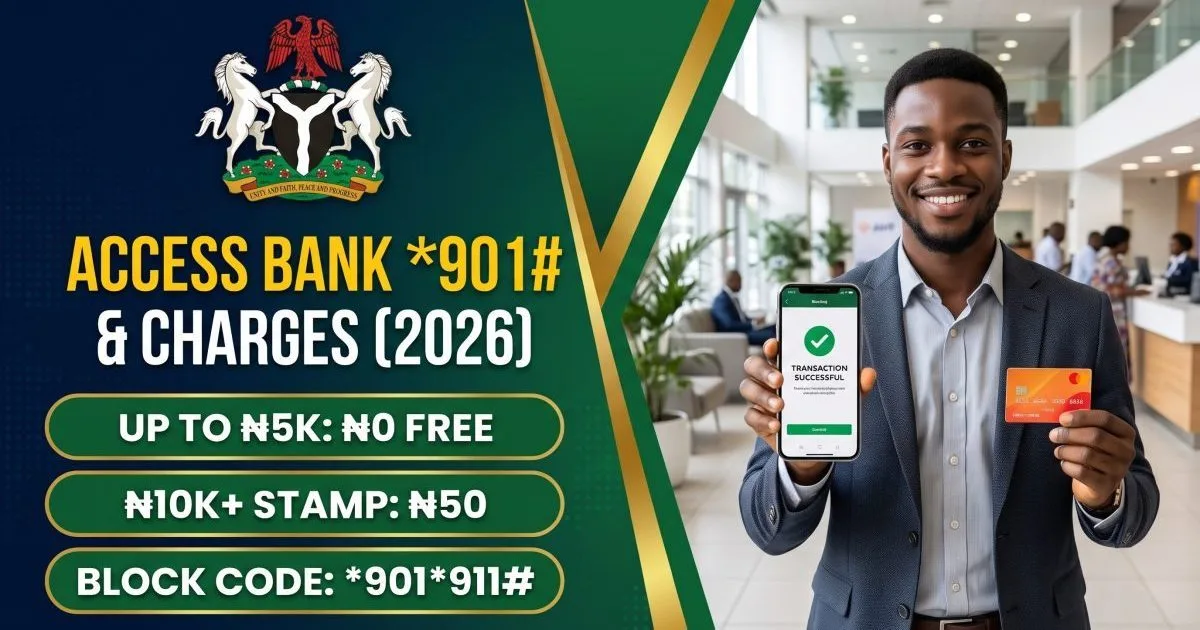
- 2026 Inter-Bank Transfer Fees (CBN May 2026 Guide): Under the Central Bank of Nigeria’s revised Guide to Charges (effective May 1, 2026), maximum bank fees for sending money to other Nigerian banks are ₦0 (Free) for transfers up to ₦5,000, ₦10 max for ₦5,001 – ₦50,000, and ₦50 max for transfers above ₦50,000.
- Sender-Paid ₦50 Stamp Duty (Since Jan 1, 2026): On any inter-bank transfer of ₦10,000 or more, the sender now pays an additional ₦50 government Stamp Duty (bringing total cost to ₦60 for ₦10k–₦50k, and ₦100 for ₦50,001+). Transfers below ₦10,000, salary credits, and Access-to-Access transfers are exempt.
- USSD ₦6.98 Fee Comes From Your Airtime (Not Bank Balance): Under the NCC/CBN End-User Billing (EUB) policy, your telecom network deducts ₦6.98 per 120-second USSD session straight from your mobile airtime after you accept the prompt—Access Bank must not double-charge your account for the USSD session.
- Key Access Bank *901# Codes: Main menu
*901#| Setup/Reset PIN*901*0#| Transfer*901*Amount*AccountNumber#| Link NIN*901*11#| Emergency Block Account from any phone*901*911#. - New July 2026 Transfer Limit Rules: Under CBN’s July 1, 2026 directive, you can now adjust your own daily limit inside the AccessMore app (up to your KYC tier / CBN’s ₦25M personal & ₦250M corporate ceiling), toggle instant transfers OFF anytime, and note that newly opened accounts or AccessMore freshly installed on a new phone are strictly capped at ₦20,000 for the first 24 hours.
- Official Support Only: For stuck transfers or emergency fraud blocks, call Access Bank’s official 24/7 Contact Centre on
07003000000(or01-2712005-7/ContactCenterUnit@accessbankplc.com)—never share your 4-digit PIN, OTP, or token code with anyone.
As Nigeria’s largest commercial bank by customer base, Access Bank processes tens of millions of everyday transactions through its offline *901# USSD banking code and the AccessMore mobile app—from ₦3,500 market transfers and urgent airtime top-ups to multi-million-naira supplier payments. Yet if you are still relying on outdated 2020–2024 banking blogs for your Access Bank transfer charges or daily limits, you are reading completely obsolete numbers.
 Advertisement
Three sweeping Nigerian regulatory reforms reshaped every single Access Bank transaction between mid-2025 and mid-2026. First, the NCC and CBN switched USSD session billing to End-User Billing (EUB)—moving the ₦6.98 per-session fee off your bank statement and directly onto your mobile airtime. Second, starting January 1, 2026, Nigeria’s tax reform shifted the ₦50 Electronic Money Transfer / Stamp Duty charge onto the sender for inter-bank transfers of ₦10,000 and above. Third, the CBN slashed small inter-bank transfer fees on May 1, 2026 (making transfers up to ₦5,000 free and cutting ₦5,001–₦50,000 to ₦10 max) and rolled out mandatory customer-controlled daily limits and single-device app security on July 1, 2026.
In this complete, live-verified 2026 handbook, the NaijaSabi Editorial Desk gives you every working Access Bank *901# shortcode in one clean cheat sheet, exact worked transfer cost tables comparing ₦9,999 vs. ₦10,000 transfers, real KYC Tier 1/2/3 and USSD vs. AccessMore daily limit breakdowns, step-by-step failed-transfer reversal procedures, instant *901*911# phone-theft blocking instructions, and anti-fraud warnings.
1. Access Bank Transfer Charges in 2026 (CBN May 2026 Fees + ₦50 Sender Stamp Duty)
When you send money from your Access Bank account to another Nigerian bank (such as GTBank, Zenith, FirstBank, UBA, OPay, Moniepoint, or PalmPay) via *901# or the AccessMore app, two completely separate deductions can appear on your debit alert. Understanding both guarantees you never get overcharged (see our parent Bank Transfer Charges in Nigeria 2026 Master Guide for the full CBN circular):
| Transfer Amount Band (To Other Nigerian Banks) | Old 2020 CBN Fee | 2026 CBN Max Bank Fee (Effective May 1, 2026) | Sender Stamp Duty (Effective Jan 1, 2026) |
|---|---|---|---|
| Up to ₦5,000 | ₦10 | ₦0 (Free) | ₦0 (Exempt below ₦10,000) |
| ₦5,001 – ₦9,999 | ₦25 | ₦10 max | ₦0 (Exempt below ₦10,000) |
| ₦10,000 – ₦50,000 | ₦25 | ₦10 max | ₦50 (Paid by Sender) |
| Above ₦50,000 (₦50,001 to ₦25M+) | ₦50 | ₦50 max | ₦50 (Paid by Sender) |
| Access Bank to Access Bank (Intra-Bank) | Usually ₦0 | ₦0 (Free) | ₦0 (Same-bank transfers are exempt!) |
Other 2026 Fee Cuts You Should Know: Under the CBN 2026 Guide to Charges, the old ₦50 monthly Naira debit card maintenance fee has been abolished, email transaction alerts remain 100% free (switch off paid SMS alerts in AccessMore or at your branch if you want to avoid cost-recovery SMS deductions), and ATM withdrawals remain free on Access Bank ATMs (₦100 per ₦20,000 at other banks’ on-site ATMs, plus up to ₦500 per ₦20,000 at off-site machines).
2. Worked Transfer Cost Table: Sending ₦3,000 to ₦1,000,000 From Access Bank
Notice the sharp ₦50 cliff sitting between ₦9,999 and ₦10,000—and how sending one consolidated payment saves heavily over splitting transfers. Here is your exact cost breakdown for inter-bank transfers from Access Bank (excluding the separate ₦6.98 airtime USSD charge if you dial *901# instead of using AccessMore):
| Amount Sent (To Another Bank) | Max Bank Fee | Sender Stamp Duty | Total Account Debit Charge |
|---|---|---|---|
| ₦3,000 or ₦5,000 | ₦0 | ₦0 | ₦0 (Completely Free) |
| ₦9,999 | ₦10 | ₦0 | ₦10 |
| ₦10,000 (Just ₦1 more!) | ₦10 | ₦50 | ₦60 |
| ₦50,000 | ₦10 | ₦50 | ₦60 |
| ₦50,001 to ₦1,000,000+ | ₦50 | ₦50 | ₦100 Flat |
Smart Fee-Saving Habit: Never split a ₦200,000 supplier transfer into four ₦50,000 transfers—one ₦200,000 transfer costs ₦100, whereas four ₦50,000 transfers cost ₦240 (and if the supplier also holds an Access Bank account, sending Access-to-Access costs ₦0!).
3. Complete List of Access Bank *901# USSD Codes (2026 Working Cheat Sheet)
Dial all codes strictly from the MTN, Airtel, Glo, or 9mobile phone number registered to your Access Bank account (except the emergency block code *901*911#, which works from any phone in Nigeria). Bookmark our master All Nigerian Bank & Telecom USSD Codes 2026 Directory for other banks too:
| Banking Action / Service | Official Access Bank USSD Code | Example / Quick Usage Note |
|---|---|---|
| Access Bank Main Menu | *901# |
Opens full interactive menu (Transfers, Balance, Bills, Loans, Other Services) |
| Register USSD / Reset 4-Digit PIN | *901*0# |
Enter Date of Birth (DDMMYYYY) & create/reset 4-digit PIN |
| Transfer to Any Bank (Fast String) | *901*Amount*AccountNumber# |
e.g., *901*5000*0123456789# → pick recipient bank → verify name → enter PIN |
| Direct Access-to-Access / Other Banks | *901*1*Amount*Acct# (Access)*901*2*Amount*Acct# (Other) |
Direct menu shortcut strings if you want to skip choosing intra- vs. inter-bank |
| Check Account Balance | *901*00# or *901*5# |
Confirm with 4-digit PIN (or dial *901# → Check Balance) |
| Buy Airtime for Yourself | *901*Amount# |
e.g., *901*1000# (Exempt from ₦6.98 bank USSD surcharge on Access FAQ) |
| Buy Airtime for Someone Else | *901*Amount*PhoneNumber# |
e.g., *901*500*08012345678# → confirm with PIN |
| Buy Mobile Data / Pay Utility Bills | *901*8# (Data) / *901*3# (Bills) |
Pay DStv, GOtv, StarTimes, Ikeja/Eko/Abuja/PH Electricity & data bundles |
| Open Access Money Account (BVN/NIN) | *901*10# |
Instant phone-based Access Money Wallet opening |
| Link NIN to Access Bank Account | *901*11# |
Follow prompts to link your 11-digit NIN (see our NIN Check Guide) |
| Emergency Block Account / Card | *901*911# |
Works from ANY phone → Option 2 (Block Account) → Self or Third Party |
4. How to Register for *901#, Create or Reset Your 4-Digit PIN & Send Money Offline
If you have never activated Access Bank USSD before—or forgot your 4-digit PIN—you do not need to queue inside a banking hall. Activate or reset right on your phone in 60 seconds:
First-Time Setup or PIN Reset (Without an ATM Card)
- From the phone number linked to your Access Bank account, dial
*901*0#(or dial*901#→ Option 4 Other Services → Option 5 Reset PIN). - Enter your 10-digit Access Bank account number if prompted.
- Enter your Date of Birth strictly in
DDMMYYYYformat (for example,05081994for August 5, 1994). - Create and confirm a secure 4-digit USSD PIN (never use your birth year,
1234, or0000).
Fastest Way to Send Money Offline (Beats the 120-Second USSD Clock!)
- Have the recipient’s 10-digit account number and exact amount ready before dialling.
- Dial the direct string:
*901*Amount*AccountNumber#(for example,*901*15000*0123456789#). - Accept the NCC ₦6.98 airtime USSD consent prompt if displayed.
- Select the recipient’s bank from the short list and carefully read the recipient’s full name displayed on screen. If the name does not match the person you intend to pay, press Cancel immediately!
- Enter your 4-digit
*901#PIN to authorise and wait for the confirmation pop-up and transaction alert.
5. NCC End-User Billing (EUB): How the ₦6.98 USSD Airtime Charge Works in 2026
If your *901# session suddenly fails even though you have ₦500,000 sitting in your Access Bank account, the culprit in 2026 is almost always ₦0.00 mobile airtime. Under the joint NCC & CBN End-User Billing (EUB) Policy (implemented June 3, 2025 to end multi-billion-naira bank–telco USSD debt disputes):
- Billed Directly From Airtime: Your mobile network (MTN, Airtel, Glo, or 9mobile) deducts ₦6.98 per USSD session lasting up to 120 seconds directly from your phone airtime balance—not from your Access Bank account.
- Consent & Transparent Receipt: You receive an on-screen prompt before billing and an end-of-session SMS from your network stating the exact airtime deducted.
- Zero Double-Billing Allowed: Under strict CBN and NCC rules, Access Bank is prohibited from charging your bank account an additional USSD access fee while EUB is active. If your bank statement shows a duplicate USSD charge alongside an airtime deduction, report it directly to the CBN Consumer Protection Department (
+234-70-0225-5226/contactcbn@cbn.gov.ng) or NCC Toll-Free Line622(consumer@ncc.gov.ng). - Tip to Avoid USSD Charges Completely: If you have active mobile data or Wi-Fi, use the AccessMore mobile app—app transfers incur ₦0 airtime USSD fee!
6. Access Bank Daily Transfer Limits (Tier 1, Tier 2, Tier 3, USSD & July 2026 CBN Rules)
When an Access Bank transfer declines with “Transaction Limit Exceeded,” one of three distinct limits is blocking you: (1) your KYC Account Tier, (2) your Channel Limit (*901# USSD vs. AccessMore App vs. Hardware/Soft Token), or (3) CBN’s July 1, 2026 Security Cap:
| Account Tier / Channel Rule | 2026 Verified Limit / Ceiling | How It Works in Practice |
|---|---|---|
| Tier 1 (Low-Value / BVN+NIN Basic) | ₦50,000 daily cumulative transfer (₦300,000 max balance cap on standard Tier 1 wallets) | Applies to basic phone-opened accounts/Access Money Tier 1 wallets until full ID & utility bill verification is completed. |
| Tier 2 (BVN + NIN + Gov Photo ID) | ₦200,000 daily cumulative transfer (Access Money Tier 2 / standard CBN Tier 2) | Unlocks higher transfers once NIN/BVN + government ID are verified; still below full Tier 3 ceilings. |
| Tier 3 (Full KYC: BVN + NIN + ID + Address Verification) | ₦500,000 (Access Money Wallet Tier 3) up to ₦25,000,000/day CBN Individual Instant Ceiling on Full Savings/Current Accounts | Higher tiers above ₦1,000,000/day (individual) or ₦10,000,000/day (corporate, up to ₦250M CBN ceiling) require a signed bank indemnity + Hardware/Soft Token. |
| USSD (*901#) Without Token | ₦20,000 per single transaction on Access Money USSD without token (typical Nigerian USSD PIN-only daily norm is ₦100,000; verify live cap on your account) | Transfers above your PIN-only USSD ceiling require a Hardware/Soft Token or switching to the AccessMore app. |
| CBN July 1, 2026 New-Phone / New-Account Lock | ₦20,000 Strict Cap for First 24 Hours | Compulsory nationwide rule: newly opened accounts (₦20k in/out) or AccessMore newly installed on a new phone (₦20k out) cannot bypass this 24-hour cooling window. |
7. How to Increase Your Daily Transfer Limit Safely on AccessMore & With a Token
Following the CBN circular dated March 12, 2026 (which took full effect across every Nigerian bank on July 1, 2026), you now hold direct control over your daily transfer dial inside the AccessMore mobile app—including the ability to raise your limit up to your verified KYC ceiling or temporarily switch instant transfers OFF completely for extra security.
Step-by-Step: Raising Your Access Bank Limit in 2026
- Upgrade to Tier 3 KYC First: Ensure your BVN and NIN (dial
*901*11#if unlinked) are both verified, upload a valid government photo ID (NIN Slip, International Passport, or Driver’s Licence), and submit a recent utility bill (electricity/LAWMA/water bill) for physical address verification inside AccessMore or at any Access Bank branch. - Open Limit Settings Inside AccessMore: Log into the official AccessMore app → navigate to Profile / Settings → Transaction Limits. You will see your active daily limit and the maximum allowed for your authentication method (PIN vs. Token).
- Activate Access Bank Soft Token (Entrust) or Hardware Token: To unlock multi-million-naira daily limits (above standard PIN-only limits up to ₦5M–₦25M individual ceiling), activate the Access Bank Soft Token or request a Hardware Token at your branch and execute the bank’s standard Indemnity Form (mandatory nationwide for individual limits above ₦1,000,000 and corporate limits above ₦10,000,000).
- Confirm Your Exact
*901#Channel Cap: Because Access Bank applies account-specific channel caps on USSD, check your exact live*901#ceiling directly inside AccessMore or by calling07003000000before attempting a large offline transfer.
8. Emergency Theft Protection: How to Block Your Access Bank Account With *901*911#
If your phone is snatched in Lagos traffic, lost at a busy park, or you spot an unauthorized debit alert, every single second counts. Access Bank’s emergency *901*911# kill-switch works from ANY Nigerian phone—even a friend’s or security guard’s phone on a different bank!
How to Freeze Your Access Bank Account in 30 Seconds
- Borrow any working mobile phone immediately and dial
*901*911#. - Select Option 2 (Block Account).
- Choose Self (if using your own phone) or Third Party (if calling from someone else’s phone).
- Enter the phone number linked to your Access Bank account.
- Select the specific account—or choose All Accounts—and enter your 4-digit
*901#PIN to freeze outbound debits instantly! - Forgot Your PIN While Panicking? Call Access Bank’s 24/7 Contact Centre immediately on
07003000000(or01-2712005-7/01-2802500) from any phone to place an immediate fraud restriction on your account and ATM cards.
Pro Security Tip: If your phone is stolen, also call your telecom provider (MTN/Airtel/Glo/9mobile) immediately to block your SIM card—or switch your primary banking number to an eSIM on your next smartphone upgrade so thieves cannot pop out your SIM card (see our Nigeria eSIM Setup Guide 2026).
9. Debited Without Credit? How to Reverse a Failed Access Bank Transfer Fast
Few things raise blood pressure faster than seeing a debit alert on *901# or AccessMore while the vendor or POS agent insists “I haven’t seen alert!” Follow this exact CBN-compliant recovery protocol so you neither pay twice nor lose your money:
- Never Immediately Repeat the Transfer: Check your actual live account balance via
*901*00#(or AccessMore) and ask the recipient to refresh their bank app (not just wait for delayed SMS alerts!). Many inter-bank NIP credits clear within 5 to 15 minutes during network congestion. - Wait for Automatic Reversal (Usually Within 24 Hours): Under CBN electronic payment guidelines, failed NIBSS Instant Payment (NIP) debits are programmed to reverse automatically back into your Access Bank account—typically within a few hours and within 24 to 48 hours maximum.
- Log a Formal Dispute Ticket With Exact Transaction Details: If the funds do not reverse automatically after 24 hours, log a dispute directly inside the AccessMore App (Support / Dispute Resolution), call
07003000000, or emailContactCenterUnit@accessbankplc.comwith:- Exact Date & Time of transaction
- Exact Amount debited & Your Account Number
- Recipient’s Bank Name, Account Number & Account Name
- Transaction Session ID / Reference Number (visible on your AccessMore receipt)
- Escalate to CBN If Unresolved: Always collect a written Tracking / Ticket Reference Number from Access Bank. If a verified failed transfer remains unresolved past the bank’s SLA (or 14 days for escalated disputes), escalate formally with your ticket reference to the CBN Consumer Protection Department at
contactcbn@cbn.gov.ngor+234-70-0225-5226.
10. Troubleshooting *901# Errors (Wrong SIM, Insufficient Airtime & 24-Hour New Phone Lock)
Before walking into a crowded Access Bank branch over a failed transaction, check these five instant fixes:
- Error 1 — “Connection Problem / Invalid MMI Code” or Session Drops Immediately: Under NCC End-User Billing, verify you have at least ₦10–₦20 in active mobile airtime (not bonus airtime!) on the SIM linked to your bank account, and toggle Airplane Mode ON/OFF for 10 seconds to refresh your 4G/3G tower signal.
- Error 2 — “Unregistered Number / No Account Linked”: On dual-SIM phones, make sure you are dialling
*901#specifically from SIM 1 or SIM 2 matching the exact phone number registered on your Access Bank profile—not your secondary data SIM. - Error 3 — Stuck at ₦20,000 Limit After Buying a New Phone: Under CBN’s compulsory July 1, 2026 anti-fraud rule, installing AccessMore on a brand-new phone (or reinstalling after a factory reset) enforces a strict, non-negotiable ₦20,000 outgoing transfer cap for 24 hours—and automatically logs you out of any second device (banking apps can only run on one device at a time). Simply wait for the 24-hour timer to expire cleanly.
- Error 4 — Account Placed on Post-No-Debit (PND): Usually triggered by an unlinked NIN or incomplete BVN/KYC validation. Dial
*901*11#to link your NIN immediately or visit accessbankplc.com / your nearest branch with your NIN Slip and utility bill. - Error 5 — Exceeded 120-Second USSD Session Timeout: Navigating slow menus burns past the 2-minute EUB timer. Memorise the direct string
*901*Amount*AccountNumber#so you finish in under 20 seconds!
11. Anti-Scam Warning: Fake Access Bank Customer Care Numbers & USSD PIN Hijackers
Official Anti-Fraud Warning: 4 Banking Scams Targeting Access Bank Customers in 2026
- Never Dial a “Verification Code” Sent by a Buyer or Stranger: Scammers posing as online buyers or “Access Bank BVN/NIN upgrade staff” send disguised strings like
*901*50000*0123456789#claiming it will “confirm your payment” or “activate a CBN grant.” The moment you dial it and type your PIN, you have emptied your own account! - Fake Twitter/X, Facebook & Google Maps Customer Care Lines: Whenever you tweet a complaint at Access Bank, scam bots reply within 10 seconds with fake WhatsApp numbers (e.g.,
090.../081...) asking for your ATM card 16-digit PAN, CVV, OTP, or PIN. Access Bank’s official phone lines are07003000000,01-2712005-7, and01-2802500—and genuine bank staff will NEVER ask for your PIN, password, OTP, or hardware token code. - Fake “CBN Stamp Duty Refund” Phishing Links: Delete any SMS or email claiming you qualify for a “₦50 Stamp Duty or USSD refund” requiring you to log into a lookalike website (
accessbank-ng-verify.xyz). Only use the official AccessMore app oraccessbankplc.com. - Protect Your SIM With a SIM PIN: Enable a 4-digit SIM Lock PIN inside your phone settings so that even if a thief removes a physical SIM, they cannot insert it into another handset to receive your OTPs or dial
*901#.
12. Frequently Asked Questions (FAQs)
1. How much is the Access Bank transfer charge to other banks in 2026?
Under the CBN 2026 Guide to Charges (effective May 1, 2026) and the January 2026 Stamp Duty reform, sending up to ₦5,000 to another bank costs ₦0 (Free), sending ₦5,001 to ₦9,999 costs up to ₦10, sending ₦10,000 to ₦50,000 costs up to ₦60 (₦10 bank fee + ₦50 sender Stamp Duty), and sending above ₦50,000 costs up to ₦100 (₦50 bank fee + ₦50 sender Stamp Duty). Access-to-Access transfers remain ₦0 and exempt from Stamp Duty.
2. What is the Access Bank *901# code to transfer money to other banks?
From the phone number linked to your Access Bank account, dial *901*Amount*AccountNumber# (or *901*2*Amount*AccountNumber#), select the recipient’s bank, verify that the recipient’s full name matches on screen, and enter your 4-digit *901# PIN to complete the transfer.
3. Is the ₦6.98 USSD fee deducted from my Access Bank account or my phone airtime?
Under the joint NCC & CBN End-User Billing (EUB) policy, the ₦6.98 per 120-second USSD session fee is deducted directly from your mobile airtime balance by your telecom operator (MTN, Airtel, Glo, or 9mobile) after you confirm the prompt—not from your Access Bank account. Always keep at least ₦10–₦20 airtime on your registered SIM before dialling *901#.
4. Why is my AccessMore or Access Bank transfer limit suddenly capped at ₦20,000?
Under CBN’s nationwide security directive effective July 1, 2026, any newly opened bank account (₦20,000 in and out) or any banking app newly installed or reinstalled on a new phone (₦20,000 outgoing) is strictly capped at ₦20,000 for the first 24 hours. On Access Money USSD without a token, single transactions are also capped at ₦20,000 unless upgraded with a token. After 24 hours on a Tier 3 account, you can adjust your daily limit inside AccessMore Settings.
5. How do I block my Access Bank account immediately if my phone is stolen?
Borrow any phone immediately and dial *901*911#, select Option 2 (Block Account), choose Third Party, enter your registered Access Bank phone number, select the account(s) to freeze, and confirm with your 4-digit USSD PIN. If you cannot remember your PIN, call Access Bank’s 24/7 Contact Centre right away on 07003000000.
Editorial Verification Note: Compiled and fact-checked by the NaijaSabi Editorial Desk on November 23, 2026, referencing official Access Bank USSD and Access Money guidelines (accessbankplc.com), the Central Bank of Nigeria (CBN) 2026 Guide to Charges (circular of April 21, 2026, effective May 1, 2026), CBN’s March 12, 2026 transfer-limit circular (effective July 1, 2026), the January 1, 2026 Stamp Duty framework, and the Nigerian Communications Commission (NCC) End-User Billing (EUB) policy (ncc.gov.ng). Always confirm live fees displayed inside AccessMore or on the *901# prompt before authorising any transfer.
Get the NaijaSabi Morning Brief
Verified daily Naira FX rates, fuel & food prices, and open Nigerian job portals — zero spam, unsubscribe anytime.



0 Comments
No comments yet. Be the first to share your thoughts!