


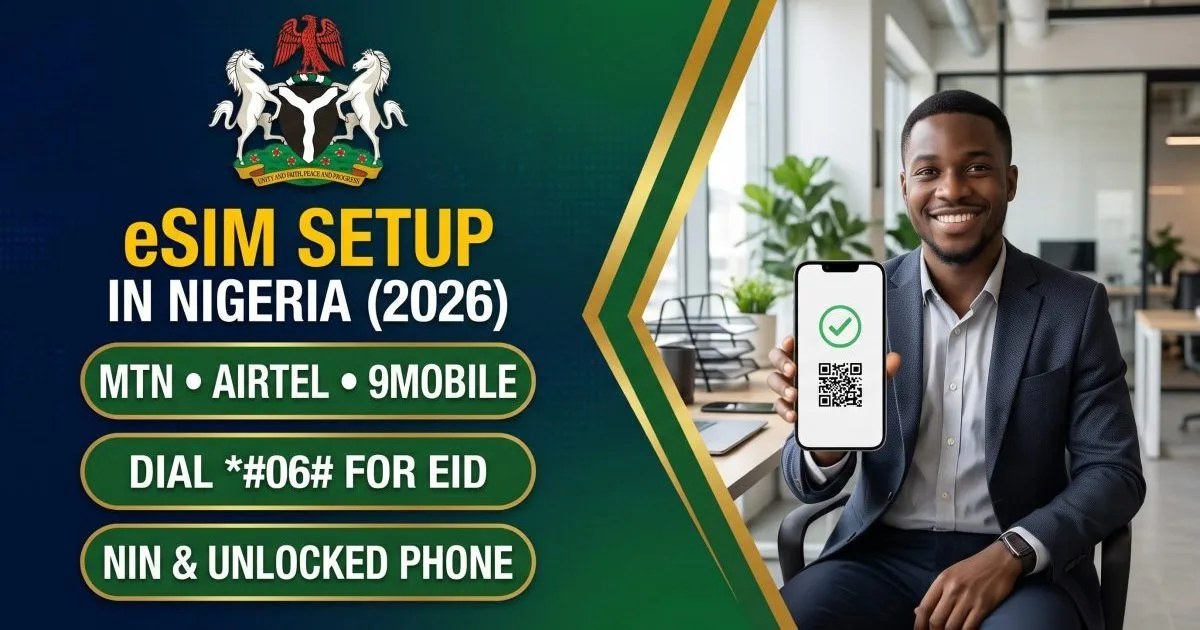


Key Takeaways: eSIM Setup in Nigeria (2026 Verified Guide)
- Supported Nigerian Networks: MTN Nigeria, Airtel Nigeria, and 9mobile officially support consumer eSIM provisioning for both new lines and physical SIM-to-eSIM swaps. Glo (Globacom) has historically lagged behind in nationwide consumer eSIM rollout—always confirm live local availability at an official Gloworld centre before relying on Glo for an eSIM-only phone.
- Check Compatibility in 5 Seconds (Dial
*#06#): Dial*#06#on your phone keypad. If a 32-digit EID (Embedded Identity Document) number appears alongside your IMEI, your phone hardware supports eSIM. - US eSIM-Only iPhone Warning (iPhone 14/15/16/17 Series): US-model iPhones (
LL/A) have no physical SIM slot. Before paying any phone dealer in Computer Village, Banex Plaza, or Garrison, check Settings → General → About → Carrier Lock. It must read “No SIM restrictions”—carrier-locked US iPhones cannot activate MTN, Airtel, or 9mobile eSIMs, and R-SIM chips do not fit them. - Mandatory NCC NIN & Biometric KYC: Under Nigerian Communications Commission (NCC) rules, eSIMs follow the exact same strict NIN-SIM linkage and biometric identity verification rules as physical SIM cards—meaning you generally must visit an official telecom Experience Centre / Connect Store (or complete approved official verification) with your valid NIN and ID.
- Never Delete Your eSIM Profile When Troubleshooting: Deleting an eSIM profile inside iPhone or Android settings permanently deactivates your line and forces you to visit your network’s service centre again for a fresh QR code re-issuance.
- Keep Your Existing Number & Bank Alerts Intact: Swapping your physical MTN, Airtel, or 9mobile SIM to an eSIM preserves your exact phone number, airtime, active data bundles, WhatsApp account, and banking OTP alerts.
With Apple removing the physical SIM card tray from every US-market iPhone starting from the iPhone 14 series right through the iPhone 15, iPhone 16, and iPhone 17 lineups—and flagship Samsung Galaxy and Google Pixel devices making dual-eSIM standard—hundreds of thousands of Nigerians importing “UK-used” or “US-spec” smartphones every month now face the exact same immediate question: how do I put my Nigerian MTN, Airtel, 9mobile, or Glo line onto a phone with no SIM tray?
 Advertisement
The answer is an eSIM (Embedded Subscriber Identity Module)—a programmable digital chip soldered permanently onto your phone’s motherboard that stores your mobile carrier profile via a secure QR code instead of a removable plastic card. Beyond letting you run multiple Nigerian lines on one sleek device without hunting for an ejector pin, eSIMs add a major security upgrade in Nigeria: if your phone is stolen in Lagos, Abuja, or Port Harcourt traffic, a thief cannot simply pop out your SIM card to block “Find My iPhone” tracking or slip your SIM into another phone to intercept bank OTPs.
In this comprehensive, anti-scam 2026 telecom guide, the NaijaSabi Editorial Desk walks you step-by-step through checking hardware EID and US Carrier Lock status before buying a phone, exact eSIM activation and physical-to-eSIM swap procedures for MTN, Airtel, and 9mobile, the honest status and workarounds for Glo subscribers, how to keep your eSIM safe when changing phones or factory-resetting, pairing Nigerian eSIMs with international travel eSIMs, and avoiding the costly “remote eSIM swap” and carrier-locked iPhone scams flooding Nigerian phone markets.
1. How to Check If Your Phone Supports eSIM & Is Factory Unlocked (2-Minute Test)
Never queue at an MTN Connect Store or Airtel Showroom—and never transfer money to a phone vendor—until you run two quick checks directly on the device in under 60 seconds:
Test 1: Verify Hardware eSIM Support via EID (Works on Both iPhone & Android)
- Open the phone’s native Phone / Dialer app.
- Dial
*#06#(you do not need to press Call—the device info screen pops up automatically). - Look closely for a 32-digit number labelled EID (Embedded Identity Document).
- Verdict: If an EID appears, your phone’s hardware officially supports eSIM. If you only see IMEI 1 and IMEI 2 with no EID (common on mainland China, Hong Kong, or Macau dual-physical-SIM iPhones and certain regional Android variants), your phone does not support eSIM.
Test 2: Verify Carrier Unlock Status (Critical for US/UK Imported Phones)
- On iPhone (iOS): Go to Settings → General → About and scroll down to Carrier Lock. It must display
No SIM restrictions. If it saysSIM locked, the phone is locked to a foreign carrier (such as AT&T, T-Mobile, Verizon, Spectrum, or Xfinity) and will reject Nigerian eSIM QR codes with an “Unable to Activate eSIM / SIM Not Supported” error. - On Samsung / Google Pixel / Android: Check Settings → Connections → SIM Manager (Samsung) or Settings → Network & internet → SIMs (Pixel) to confirm the “Add eSIM” option is active and ungreyed, and verify under Device Unlock / Network Lock that no US carrier lock is active.
2. Nigerian Networks Comparison Table (2026): MTN, Airtel, 9mobile & Glo eSIM Status
Not every Nigerian telecom operator handles eSIM provisioning the same way. Here is how Nigeria’s four GSM networks stack up in practice:
| Network Operator | Consumer eSIM Availability | Swap Existing Physical SIM to eSIM? | Primary Official Channel |
|---|---|---|---|
| MTN Nigeria | Active Nationwide (4G & 5G Ready) | Yes (Keeps exact number & balances) | MTN Connect Store / Service Centre + official portal (mtn.ng) |
| Airtel Nigeria | Active Nationwide (4G & 5G Ready) | Yes (Keeps exact number & balances) | Airtel Experience Centre / Showroom + official portal (airtel.com.ng) |
| 9mobile Nigeria | Active (Pioneer eSIM Network in Nigeria) | Yes (Subject to store provisioning stock) | 9mobile Experience Centres nationwide (9mobile.com.ng) |
| Glo (Globacom) | Limited / Verify Live Local Rollout | Confirm directly at your nearest Gloworld hub | Gloworld Outlets / gloworld.com/ng (See MNP workaround in Section 7) |
Cost Note: Official Nigerian telecom operators either issue eSIM swaps free of charge or charge only a nominal official SIM-replacement fee (typically ₦0 to a few thousand naira depending on active promotional or standard SIM-swap tariffs). Always confirm any official counter charge directly inside the MTN, Airtel, or 9mobile service centre and collect a system receipt—never pay roadside agents ₦10,000–₦25,000 for an “eSIM QR code.”
3. Complete List of eSIM-Compatible iPhones, Samsung, Pixel & Android Phones in Nigeria
Before walking into a service centre, verify your smartphone model against the verified compatibility list below (remembering to still dial *#06# to confirm the physical EID on your specific regional variant):
- Apple iPhones (Global & US Models — Excluding Mainland China/HK Dual-Physical Models):
- eSIM-Only (US LL/A Models — No SIM Tray): iPhone 14, 14 Plus, 14 Pro, 14 Pro Max; iPhone 15, 15 Plus, 15 Pro, 15 Pro Max; iPhone 16, 16 Plus, 16 Pro, 16 Pro Max, 16e; and iPhone 17 lineup (all support Dual Active eSIMs and store 8+ profiles).
- Physical SIM + eSIM Hybrid Models: iPhone XS, XS Max, XR; iPhone 11, 12, and 13 series; iPhone SE (2nd & 3rd Gen); plus non-US (UK/EU/Nigeria/Middle East) iPhone 14/15/16/17 variants.
- Samsung Galaxy Smartphones: Galaxy S20, S21, S22, S23, S24, S25, and S26 series (including Plus, Ultra, and eligible FE variants), Galaxy Note 20 / Note 20 Ultra, Galaxy Z Fold 2 through Z Fold 7, Galaxy Z Flip series, and newer Galaxy A54/A55/A56 eSIM-enabled regional variants. Caution: Some Samsung S20/S21/S22 Hong Kong, Taiwan, or older Korean/US carrier-branded models lack eSIM firmware—always run
*#06#! - Google Pixel Phones: Pixel 4, 4a, 5, 5a, 6, 6a, 6 Pro, 7, 7a, 7 Pro, 8, 8a, 8 Pro, 9, 9 Pro, 9 Pro XL, 9 Pro Fold, and Pixel 10 series (popular across Nigeria for clean Android performance and smooth dual-SIM operation).
- Other Compatible Android Brands: Select flagship models from Xiaomi (12T Pro, 13, 14, 15 series), Oppo (Find X3/X5/X7/X8 Pro, Reno eSIM variants), Motorola (Razr & Edge series), Sony Xperia (1/5/10 IV–VI), and Huawei P40/Mate 40 Pro (excluding P40 Pro+).
4. Mandatory NCC Requirements Before Visiting Any Telecom Experience Centre
Because SIM-swap fraud is a primary vector used by cybercriminals to hijack Nigerian banking OTPs, the Nigerian Communications Commission (NCC) enforces strict in-person identity validation for every eSIM activation or physical-to-eSIM swap. Carry every item below so your trip is completed in one visit:
- Your 11-Digit National Identification Number (NIN): Mandatory for both new eSIM lines and physical SIM-to-eSIM swaps. Your NIN biodata (name and date of birth) must match your existing SIM registration cleanly—if you recently changed your surname after marriage or fixed a spelling mismatch, complete your NIMC update first using our Legal Change of Name in Nigeria Guide.
- Valid Government-Issued Photo ID: Original NIN Slip / Digital NIN Card, Nigerian International Passport, Driver’s Licence, or Permanent Voter’s Card (PVC).
- The Unlocked, eSIM-Compatible Phone (Charged Above 30%): Bring the exact phone on which the eSIM will be installed, with active Wi-Fi or mobile hotspot access so the QR profile downloads cleanly right inside the store before you leave.
- SIM Ownership Verification Answers (For Swapping an Existing Number): To prevent unauthorized swaps, customer care agents will ask security questions tied to your line:
- 3 to 5 frequently dialled phone numbers on the line.
- Approximate last airtime recharge amount and date.
- Your existing physical SIM card (if still in your possession) or original SIM pack/PUK if available.
- Active Email Address: Used by MTN/Airtel/9mobile to log your digital request and, where applicable, deliver activation confirmations.
5. Step-by-Step: How to Activate or Swap to an MTN Nigeria eSIM
MTN Nigeria offers the widest nationwide network coverage and seamless 4G/5G performance on eSIM across Lagos, Abuja, Port Harcourt, Kano, Ibadan, and Enugu. Here is the exact official process:
- Confirm Hardware Readiness: Dial
*#06#to verify your EID and confirm No SIM restrictions under Carrier Lock. - Check MTN Compatibility (Optional Pre-Check): On an existing MTN line, you can also check official MTN self-service channels (such as the myMTN NG app or mtn.ng) for current eSIM service locations and appointment options before heading out.
- Visit an Official MTN Connect Store / Service Centre: Go in person with your unlocked device, valid ID, and NIN. (Tip: Arrive on weekday mornings between 8:30 AM and 10:30 AM WAT to beat lunch-hour crowds in major centres like Victoria Island, Ikeja, Wuse II Abuja, or Olu Obasanjo / GRA Port Harcourt.)
- Complete Biometric KYC & SIM Ownership Verification: Inform the MTN representative whether you want a new MTN eSIM number or a Physical SIM-to-eSIM Swap keeping your current number. Complete fingerprint/facial biometric capture and answer the line-ownership security questions.
- Receive & Scan Your Official MTN eSIM QR Code: Once approved, MTN deactivates your old plastic SIM (if swapping) and generates a unique, single-use encrypted MTN eSIM QR Code. Connect your phone to Wi-Fi right at the desk, scan the QR code under Add eSIM, and wait 1–3 minutes for MTN signal bars to appear.
- Test Voice, Data & SMS Before Stepping Out: Make a quick test call, turn off Wi-Fi to confirm 4G/5G mobile data flows smoothly, and confirm incoming SMS (crucial for bank alerts) before leaving the MTN Connect Store!
6. Step-by-Step: How to Activate or Swap to an Airtel Nigeria or 9mobile eSIM
Both Airtel Nigeria and 9mobile follow an equally straightforward NCC-compliant activation workflow:
A. Airtel Nigeria eSIM Activation Steps
- Verify your phone’s EID (
*#06#) and factory-unlocked status (No SIM restrictions). - Visit any official Airtel Showroom / Experience Centre (you can verify nearest branch addresses on airtel.com.ng or via the Airtel Thanks app) with your NIN, valid photo ID, and unlocked smartphone.
- Request either a New Airtel eSIM or a Physical SIM-to-eSIM Upgrade for your existing Airtel number.
- Complete Airtel’s mandatory NCC biometric KYC and ownership verification questions (frequently called numbers and recent recharge).
- Connect your phone to Wi-Fi, scan the official Airtel eSIM QR code issued by the agent (or via official verified Airtel confirmation channel), label the line (e.g., “Airtel Data” or “Primary”), and verify live 4G/5G connectivity and incoming SMS right at the desk.
B. 9mobile Nigeria eSIM Activation Steps
- Confirm your device displays a valid 32-digit EID via
*#06#and is carrier-unlocked. - Walk into an official 9mobile Experience Centre with your NIN, valid government ID, and smartphone.
- Complete biometric NIN verification and SIM swap security checks (if keeping an existing 9mobile line).
- Scan the official 9mobile eSIM QR code while connected to Wi-Fi, complete the profile download, and confirm active voice, data, and SMS reception before departing the centre.
7. What About Glo eSIM? Honest 2026 Status & Practical Workarounds (Including MNP Porting)
One of the most searched telecom questions in Nigeria is: “Does Glo support eSIM yet?” While MTN, Airtel, and 9mobile have supported consumer eSIMs for years, Globacom (Glo) has historically lagged behind on nationwide self-service consumer eSIM deployment—leaving millions of Glo subscribers stuck when they upgrade to a US eSIM-only iPhone 14, 15, 16, or 17.
Because telecom rollouts expand city by city, always confirm live availability directly at a major Gloworld outlet or via gloworld.com/ng first. If Glo eSIM is still unavailable at your local branch when you buy an eSIM-only iPhone, you have three practical, 100% legal workarounds:
- Option 1 — Free Mobile Number Portability (MNP) to MTN or Airtel (Keep Your Exact 0805/0807/0815 Number!): Under NCC Mobile Number Portability rules, you can port your existing Glo phone number (exact same digits, so you never lose your bank alerts, WhatsApp, or business contacts!) to MTN or Airtel for free at any MTN Connect Store or Airtel Showroom—and immediately put that ported number onto an MTN or Airtel eSIM! (Just ensure your Glo line is active, registered to your NIN, and hasn’t ported within the last 90 days.)
- Option 2 — Keep Your Glo Physical SIM Inside a 4G/5G Pocket MiFi or Secondary Phone: If you love Glo strictly for cheap bulk data bundles, slot your physical Glo SIM into a pocket MiFi router (or a budget backup phone) and run your primary calls/banking on an MTN or Airtel eSIM inside your iPhone.
- Option 3 — Buy a Non-US Hybrid iPhone (UK/EU/Nigeria Spec) Next Time: Non-US models of the iPhone 14, 15, 16, and 17 series (such as UK
B/A, EU, or Middle East variants) still retain one physical SIM tray + active eSIM—allowing you to drop a physical Glo SIM into the tray while running an MTN or Airtel eSIM digitally.
8. Activating US eSIM-Only iPhones (14/15/16/17) in Nigeria: Avoiding Locked-Phone Traps
Every week across Ikeja’s Computer Village, Abuja’s Banex Plaza, and Port Harcourt’s Garrison/Waterlines phone markets, unsuspecting buyers pay ₦500,000 to ₦2,000,000+ for sleek US-imported iPhone 14, 15, 16, or 17 devices—only to reach an MTN or Airtel centre and hear the dreaded verdict: “Sorry, this phone is Carrier Locked.”
Why Carrier-Locked US eSIM-Only iPhones Are a Dead End in Nigeria
On older iPhones (iPhone 11, 12, 13), Nigerian technicians often used cheap micro-interposer chips (“R-SIM” or “Turbo SIM”) slotted underneath a physical SIM card to temporarily bypass US carrier locks. Because US iPhone 14/15/16/17 models have NO physical SIM tray, R-SIM chips cannot physically be inserted! If the phone is locked to AT&T, T-Mobile, Verizon, Cricket, or MetroPCS—especially if the original US owner defaulted on an instalment plan or reported it lost/blacklisted—it becomes an expensive “Wi-Fi-only iPod” in Nigeria.
5-Point Pre-Purchase Inspection Checklist for US iPhones in Nigeria
- Check Carrier Lock Physically Yourself: Open Settings → General → About → Carrier Lock and verify it strictly says
No SIM restrictions. Do not trust screenshots sent over WhatsApp! - Check Model Number & EID: Dial
*#06#and verify the 32-digit EID appears cleanly alongside IMEI and IMEI 2. - Beware “Factory Reset Relocks”: Some dishonest vendors run temporary software bypasses on locked phones. Insist on doing a full Erase All Content and Settings reset right in front of the seller, re-activating on Wi-Fi, and confirming Carrier Lock still displays No SIM restrictions afterwards.
- Check Battery Health & Genuine Parts Warnings: Under Settings → General → About, check for “Unknown Part” warnings on screen, battery, or camera replacements.
- Confirm Apple Activation Lock / MDM Is Off: Ensure the seller signs out completely of iCloud (Find My iPhone OFF) and that no “Remote Management (MDM)” screen appears after resetting.
9. Installing the QR Code on iPhone & Android + Dual-SIM / International Travel eSIM Setup
Once your telecom agent hands you (or displays) your official MTN, Airtel, or 9mobile QR code, installing it takes less than two minutes—provided your phone is connected to stable Wi-Fi:
Installing on iPhone (iOS)
- Connect your iPhone to active Wi-Fi.
- Open Settings → Cellular (or Mobile Service) → tap Add eSIM.
- Tap Use QR Code and point your camera cleanly at the official QR code from your network provider.
- Tap Continue / Add Cellular Plan and wait 30–90 seconds for activation to finish.
- Assign clear labels (e.g., Primary — MTN and Secondary — Airtel), choose your default voice line, iMessage/FaceTime number, and preferred mobile data line (you can toggle Allow Cellular Data Switching ON if you want automatic backup data when one network drops).
Installing on Samsung Galaxy & Google Pixel (Android)
- Samsung Galaxy: Connect to Wi-Fi → open Settings → Connections → SIM Manager → Add eSIM → Scan QR code from service provider → scan the code and tap Add.
- Google Pixel / Stock Android: Connect to Wi-Fi → open Settings → Network & internet → SIMs → Add SIM (or + icon) → Set up an eSIM → scan the carrier QR code and confirm download.
Bonus for Nigerian Travellers & Diaspora: Pairing Local eSIM + International Travel eSIM
One of the smartest uses of eSIM in 2026 is travelling abroad—whether flying from Lagos to Accra, Johannesburg, London, or relocating on an Ireland Critical Skills Work Visa (alongside your Official Nigeria e-Yellow Card). Because modern iPhones and Androids let you keep two active eSIMs simultaneously, you can:
- Keep your Nigerian MTN/Airtel eSIM switched ON strictly for incoming SMS banking OTPs (with Data Roaming turned OFF so you don’t burn airtime).
- Install a prepaid International Travel eSIM (such as Airalo, Holafly, Nomad, or a local destination carrier eSIM) set as your Primary Mobile Data line—giving you instant 5G internet the second your plane touches down abroad without paying steep roaming tariffs.
10. Troubleshooting: No Service, Transferring eSIM to a New Phone & Factory Reset Warnings
Most eSIM headaches in Nigeria happen after activation when users reset their phones or upgrade to a newer device. Memorize these four life-saving rules:
- NEVER Tap “Delete eSIM” to Fix Poor Network Signal: If your MTN or Airtel eSIM suddenly displays No Service or slow data, toggle Airplane Mode ON for 15 seconds then OFF, restart the phone, or check your APN settings. Never delete the eSIM profile! Deleting an eSIM permanently destroys the downloaded profile on your device—and because Nigerian carrier QR codes are typically single-use security tokens, you will have to revisit an Experience Centre for a fresh SIM swap.
- Keep Your eSIM When Factory-Resetting Your iPhone: When resetting an iPhone under Settings → General → Transfer or Reset iPhone → Erase All Content and Settings, iOS asks: “Keep eSIMs and Erase Data” vs. “Delete eSIMs and Erase Data.” Always choose Keep eSIMs and Erase Data unless you are permanently selling the phone!
- Moving Your Nigerian eSIM to a Brand-New Phone: Unlike some US/UK carriers that support instant peer-to-peer iPhone Quick Transfer, Nigerian telecom operators operate under strict NCC anti-fraud controls—meaning you generally cannot re-scan an old used QR code on a new phone. When upgrading to a new device, visit your MTN Connect Store, Airtel Showroom, or 9mobile Centre with your NIN and valid ID to issue a fresh eSIM profile directly onto the new device.
- Banking OTPs & WhatsApp Security After Swapping: After swapping a physical SIM to an eSIM, some Nigerian commercial banks temporarily enforce a brief security cool-off window on SMS/USSD transaction tokens if a SIM-change alert fires. Test a small transfer or verify your banking app hardware/soft token early so you aren’t stranded at a supermarket POS.
11. Anti-Scam Warning: Avoiding Fake “eSIM Unlock Plugs” & Remote SIM-Swap Fraudsters
Official Anti-Fraud Warning: 4 eSIM & Phone Scams Targeting Nigerians in 2026
- “Remote WhatsApp eSIM Swap” Fraudsters (Bank Account Hijacking): Never give your NIN, BVN, date of birth, or recent call history to an unverified Instagram/WhatsApp “MTN/Airtel plug” promising to email you an eSIM QR code without visiting a store. Scammers use that exact information to hijack your mobile number onto their device, intercept your bank OTPs, and drain your Nigerian bank accounts in minutes!
- Fake “Permanent Carrier Unlock” Payments: If you accidentally bought a Carrier-Locked US iPhone (AT&T, T-Mobile, Verizon, Spectrum) that is blacklisted or still under US contract debt, dozens of online “unlockers” will collect ₦80,000–₦250,000 in advance and vanish. Only the original US carrier can lawfully unlock a financed device once paid off.
- Inflated “₦25,000 eSIM Registration” Middlemen: Touts standing outside busy phone markets charge huge sums to walk you into an official MTN or Airtel store where the official eSIM upgrade is free or costs a small statutory SIM-swap fee. Walk directly inside the official store yourself.
- Protect Your eSIM QR Code Like Your ATM PIN: Never post screenshots of your unactivated QR code on WhatsApp status or send it to a friend—anyone who scans an unactivated QR code first activates your phone number on their own smartphone.
12. Frequently Asked Questions (FAQs)
1. Which telecom networks officially support eSIM in Nigeria in 2026?
MTN Nigeria, Airtel Nigeria, and 9mobile officially support consumer eSIM activation and physical SIM-to-eSIM swaps nationwide. For Glo (Globacom), confirm live availability directly at an official Gloworld outlet—or use NCC’s free Mobile Number Portability (MNP) to port your exact Glo number onto an MTN or Airtel eSIM if your phone is eSIM-only.
2. Can I convert my physical MTN or Airtel SIM to an eSIM online without visiting a service centre?
Under Nigerian Communications Commission (NCC) anti-fraud and NIN-SIM linkage rules, biometric KYC verification is required for SIM swaps and eSIM provisioning. While you can check device readiness (*#06#) and initiate service enquiries via official MTN or Airtel portals/apps, you should expect to visit an official MTN Connect Store or Airtel Experience Centre in person with your valid NIN and photo ID to complete biometric verification and receive your official QR code.
3. Will a US eSIM-only iPhone (iPhone 14, 15, 16, or 17) work in Nigeria?
Yes—provided it is Factory Unlocked. Check Settings → General → About → Carrier Lock on the iPhone before buying. If it displays “No SIM restrictions”, you can activate up to two active Nigerian eSIMs (e.g., MTN + Airtel simultaneously). If it says “SIM locked”, Nigerian eSIMs will not activate on it, and physical R-SIM bypass chips cannot be used because US models have no SIM tray.
4. Will I lose my phone number, airtime, data, or WhatsApp if I switch from a physical SIM to an eSIM?
No. Performing an official physical SIM-to-eSIM swap at an MTN, Airtel, or 9mobile service centre transfers your exact same phone number, remaining airtime, active data subscriptions, NIN linkage, and SMS banking alert reception cleanly onto your eSIM. Your WhatsApp chats remain completely untouched on your device.
5. What should I do if I accidentally delete my eSIM profile or buy a new phone?
Because Nigerian carrier eSIM QR codes are single-use security tokens, deleting an active eSIM profile permanently disconnects that line on your phone—and old QR codes generally cannot be re-scanned on a new device. Visit your nearest official MTN Connect Store, Airtel Showroom, or 9mobile Experience Centre with your NIN and valid ID to have a fresh eSIM profile issued onto your current or new smartphone.
Editorial Verification Note: Compiled by the NaijaSabi Editorial Desk on November 21, 2026, referencing Nigerian Communications Commission (NCC) NIN-SIM registration and Mobile Number Portability (MNP) frameworks alongside official operator guidelines from MTN Nigeria (mtn.ng), Airtel Nigeria (airtel.com.ng), 9mobile (9mobile.com.ng), and Globacom (gloworld.com/ng). Always confirm live store-level SIM swap policies directly inside official network Experience Centres and never share NIN or OTP details with unauthorized third parties.
Get the NaijaSabi Morning Brief
Verified daily Naira FX rates, fuel & food prices, and open Nigerian job portals — zero spam, unsubscribe anytime.



0 Comments
No comments yet. Be the first to share your thoughts!