


Key Takeaways: FG ₦50,000 NERSI Relief Fund at a Glance
- Programme Name: National Emergency Relief and Stabilisation Intervention (NERSI), supervised by the Federal Ministry of Humanitarian Affairs and Poverty Reduction.
- Grant Value: ₦50,000 disbursed directly into verified beneficiaries’ mobile wallets or bank accounts at zero deduction.
- No Application Form: There is no online registration form or agent fee. Beneficiaries are selected automatically from the National Social Register (NSR) and verified NIN/BVN records.
- 5 Approved Payment Partners & USSD Codes: ALAT by Wema (
*945*23#), MoMo PSB (*671*0#), NairaGram (*726*00#), OPay (*955*20#), and Moniepoint (*5573*27#/*557*327#). - Official Information Portal & Helpline: Visit www.fmhapr.gov.ng/nersi or call 0700-022-2222 to verify messages or report extortion.
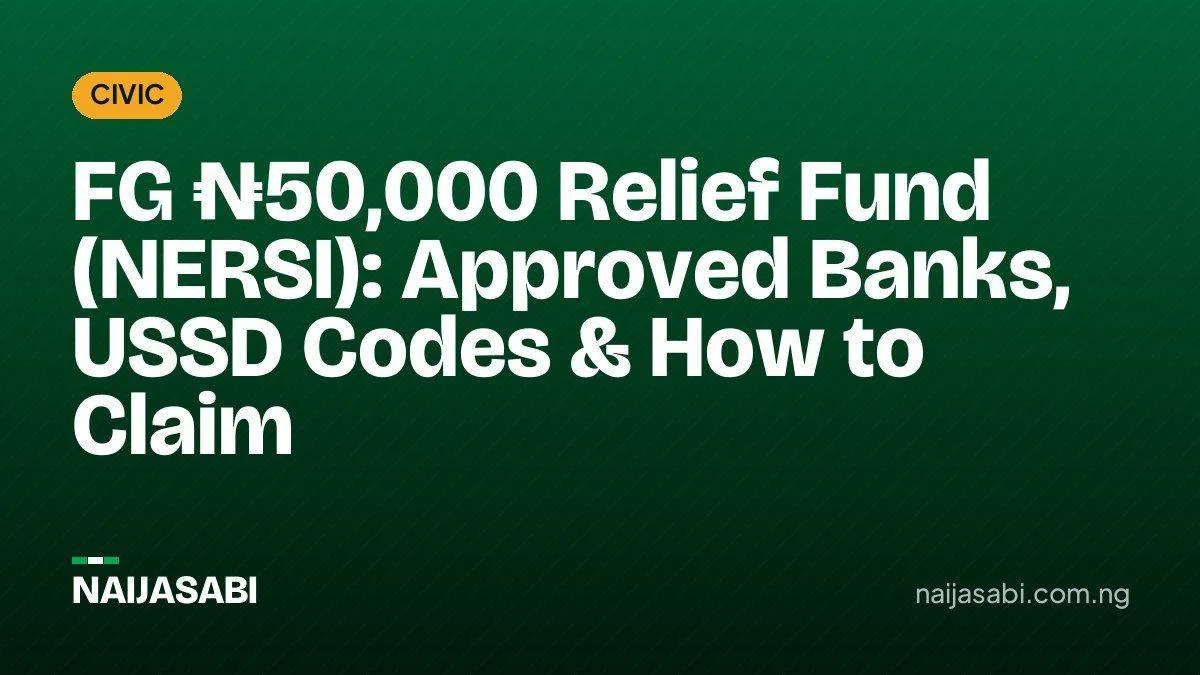
The Federal Government of Nigeria, acting through the Federal Ministry of Humanitarian Affairs and Poverty Reduction, has officially commenced the nationwide disbursement of the National Emergency Relief and Stabilisation Intervention (NERSI). Launched under President Bola Ahmed Tinubu’s Renewed Hope Agenda and announced by the Honourable Minister of Humanitarian Affairs and Poverty Reduction, Dr. Bernard Doro, the programme delivers immediate financial relief of ₦50,000 to poor and vulnerable households across all 36 states and the Federal Capital Territory (FCT).
Designed directly in response to escalating food inflation, transport costs, and the price of essential household commodities, NERSI departs sharply from historical social investment programmes that suffered from bureaucratic delays, cash middlemen, and physical queues. Instead, the Federal Government has integrated five licensed digital financial service providers—ALAT by Wema, MoMo Payment Service Bank (PSB), NairaGram, OPay, and Moniepoint—to execute direct-to-wallet electronic transfers triggered by simple SMS consent and offline USSD codes.
However, the massive public interest surrounding the ₦50,000 payout has also triggered widespread confusion regarding how citizens are selected, why some digital apps show eligibility pop-ups while others do not, whether the ₦50,000 is a recurring monthly stipend or a one-off grant, and how offline rural recipients can safely withdraw their funds. This exhaustive guide provides every verified operational detail, USSD command string, cash-out procedure, and legal safeguard governing the FG NERSI relief fund.
Before dialing any code or responding to an SMS alert, review the verified structural parameters of the intervention as established by the Federal Ministry of Humanitarian Affairs and Poverty Reduction:
| Programme Parameter | Official Verified Details |
|---|---|
| Official Title | National Emergency Relief and Stabilisation Intervention (NERSI) |
| Supervising Ministry | Federal Ministry of Humanitarian Affairs and Poverty Reduction (FMHAPR) |
| Supervising Minister | Honourable Minister Dr. Bernard Doro |
| Disbursement Amount | ₦50,000 per verified vulnerable household (Zero processing or deduction fees) |
| Target Demographic | Poor, economically fragile, and vulnerable households across all 6 geopolitical zones (36 states + FCT) |
| Selection Mechanism | Pre-existing National Social Register (NSR) cross-referenced with verified National Identity (NIN/BVN) databases |
| Registration / Application Fee | 100% Free (No online application form, no physical registration, no third-party agents) |
| Official Information Portal | https://www.fmhapr.gov.ng/nersi/ |
| Official Federal Helpline | 0700-022-2222 |
2. What is the NERSI ₦50,000 Intervention & Why Was It Launched?
The National Emergency Relief and Stabilisation Intervention (NERSI) is a shock-responsive federal cash transfer scheme designed to protect Nigeria’s lowest-income households from macroeconomic pressures. Following structural economic reforms—including fuel subsidy removal and foreign exchange unification—households at the bottom of the economic pyramid have faced acute food price inflation and rising energy costs.
To prevent vulnerable families from slipping deeper into multidimensional poverty, the presidency mandated the Federal Ministry of Humanitarian Affairs and Poverty Reduction to deploy a rapid, leak-proof liquidity injection. According to Dr. Bernard Doro, NERSI complements existing social safety nets under the Renewed Hope Agenda by prioritizing three core operational pillars:
- Speed and Disintermediation: By routing funds directly through licensed Payment Service Banks (PSBs), mobile money operators, and digital banks, the government bypasses manual cash disbursement tables where funds historically suffered from delays or political interference.
- Financial Inclusion for the Unbanked: Millions of rural Nigerians captured in the National Social Register do not possess traditional commercial bank accounts or smartphones. By utilizing USSD technology and automatic Tier-1 mobile wallet creation tied strictly to a recipient’s phone number and National Identification Number (NIN), NERSI brings unbanked citizens into the formal financial net instantly.
- Geopolitical Equity: Selection algorithms are blind to ethnicity, religion, or political party affiliation. Disbursements are scheduled in phased batches covering every local government area across all 36 states and the FCT.
3. Monthly Stipend vs. One-Off Payment: Resolving the Policy Discrepancy
One of the most frequently searched questions by Nigerians is whether the ₦50,000 NERSI grant is paid every month or as a single one-off payment. A careful audit of official government communications reveals why both terms have appeared in the media—and what beneficiaries should realistically expect.
In his official ministerial commencement statement, Dr. Bernard Doro announced: “Under this intervention, eligible beneficiaries will receive ₦50,000 monthly, providing direct assistance to help meet essential needs and ease the burden of living costs.” He further noted that the intervention would undergo regular periodic reviews in response to changes in the cost of living, with beneficiaries notified prior to any adjustments.
Conversely, the Frequently Asked Questions (FAQ) documentation published on the official NERSI information portal (fmhapr.gov.ng/nersi/) describes the disbursement mechanics per batch as a one-off payment of ₦50,000 credited into the beneficiary’s designated mobile wallet once consent is verified.
What This Means for Beneficiaries: In public finance administration, emergency stabilisation grants are released in tranches (phases) subject to budgetary allocation and cost-of-living reviews. Each time a tranche is approved, it operates technically on the payment provider’s end as a standalone ₦50,000 credit. Beneficiaries should treat their initial ₦50,000 disbursement as a complete tranche and rely strictly on subsequent official SMS notifications from the Ministry regarding future monthly review cycles.
4. How Beneficiaries Are Selected: The National Social Register (NSR) & NIN Screening
It is vital to emphasize that you cannot fill out an online form to apply for the NERSI ₦50,000 relief fund. Any website, blog, or WhatsApp group sharing a “2026 NERSI Registration Form Link” is running a phishing scam.
Instead, the Federal Ministry of Humanitarian Affairs and Poverty Reduction utilizes a two-layer data verification funnel to extract eligible recipients automatically:
Layer 1: The National Social Register (NSR)
Maintained by the National Social Safety-Nets Coordinating Office (NASSCO) in collaboration with State Operations Coordinating Units (SOCU), the National Social Register is Nigeria’s master socioeconomic database of poor and vulnerable households. Enumeration into the NSR is conducted physically at the community and ward levels using:
- Geographic Targeting: Identifying the poorest local government areas and rural/urban wards across all 36 states.
- Community-Based Targeting (CBT): Engaging local community members to identify households experiencing severe economic hardship, widowhood, disability, or displacement.
- Proxy Means Testing (PMT): Assessing household assets, housing conditions, dependency ratios, and access to clean water or electricity.
Layer 2: National Identity (NIN & BVN) Cross-Screening
To eliminate ghost beneficiaries and duplicated entries, records from the National Social Register and Rapid Response Register (RRR) are cross-referenced against verified National Identification Number (NIN) and Bank Verification Number (BVN) records. Once a household passes this digital screening, the Ministry maps their registered mobile phone number to one of the five licensed digital financial service providers and triggers an automated batch notification.
5. The 5 Approved Financial Service Providers and Official USSD Codes
The Federal Government has authorized exactly five licensed digital financial institutions to contact beneficiaries, collect consent, open mobile wallets, and disburse the ₦50,000 grant. Below is the master directory of the approved providers and their dedicated NERSI USSD codes:
| Approved Payment Provider | Official NERSI USSD Code | In-App / SMS Verification Channel |
|---|---|---|
| 1. ALAT by Wema (Wema Bank) | *945*23# |
Official SMS from ALAT + USSD Consent Menu |
| 2. MoMo PSB (MTN Mobile Money) | *671*0# |
Official SMS from MoMo + MoMo NG App |
| 3. NairaGram | *726*00# |
Official SMS from NairaGram + USSD Menu |
| 4. OPay Digital Services | *955*20# |
Official SMS + Dedicated Pop-up Banner on OPay App Homepage |
| 5. Moniepoint Microfinance Bank | *5573*27# (or *557*327# per press release) |
Official SMS + Moniepoint Personal App |
Technical Note on the Moniepoint USSD Code: While several national newspaper reports transcribed the Moniepoint code from ministerial press briefings as *557*327#, Moniepoint’s official CBN-assigned USSD gateway is *5573#, making *5573*27# the primary string listed on the NERSI portal. If one string returns an “Invalid MMI Code” on your mobile network, dial the alternate string or check directly inside your Moniepoint mobile app.
6. Step-by-Step Guide: How to Check Eligibility, Give Consent & Activate Your Wallet
Whether you use a high-end smartphone or a basic feature phone (“torchlight phone”) in a rural village without internet connectivity, the NERSI disbursement workflow follows four standardized stages:
Step 1: Receive the Official Selection Notification
Because payments are processed in phased batches, eligible citizens will first receive an official SMS notification from one of the five partnered financial providers (ALAT, MoMo, NairaGram, OPay, or Moniepoint) informing them that they have been selected under the Federal Government’s NERSI programme. For existing OPay smartphone users, this notification also triggers an instant interactive banner on the home screen of the OPay mobile application.
Step 2: Provide Compulsory Beneficiary Consent
The Federal Government will not forcefully open a financial account or deposit funds without your explicit authorization. To grant consent, perform one of the following actions as instructed in your SMS:
- Via SMS Reply: Reply directly to the official notification message with the word “YES”.
- Via USSD Code: Dial the specific USSD string assigned to the provider that contacted you (
*945*23#,*671*0#,*726*00#,*955*20#, or*5573*27#) from the exact phone number registered with your NIN/NSR record, and select the option to accept the intervention. - Via In-App Banner (OPay): Tap the NERSI notification banner on your OPay homepage and click to authorize receipt of the grant.
Step 3: Automated Mobile Wallet Creation
Once your consent is logged, you do not need to visit a bank hall or submit physical passport photographs. If you do not already hold an account with the assigned provider, the financial institution automatically opens a secure mobile wallet in your name, linked directly to your mobile phone number and verified NIN.
Step 4: Instant Disbursement of ₦50,000
Following wallet verification, the full ₦50,000 is credited into your wallet or bank account. You will receive a credit alert confirming the deposit. The money remains safely in your wallet until you choose to withdraw it at a POS terminal, transfer it to another bank account, or use it to pay bills.
7. Provider-Specific Workflows: How to Claim & Cash Out on All 5 Platforms
Many rural beneficiaries successfully accept the grant via SMS or USSD, only to get stuck when trying to convert the digital wallet balance into physical cash at a local POS operator. Below are the exact cash-out and transfer instructions for each of the five approved institutions:
1. ALAT by Wema (Wema Bank) — *945*23#
- How to Verify & Accept: Dial
*945*23#on your registered phone number and follow the prompt to confirm your NERSI beneficiary status and create your wallet PIN. - How to Withdraw / Transfer Offline: You do not need the ALAT smartphone app to spend your money. Simply walk up to any POS operator or transfer the money to your main commercial bank account by dialing:
*945*23*RecipientAccountNumber*Amount#(for example,*945*23*0123456789*50000#), select the receiving bank, and enter your secret wallet PIN. - Branch Support: Beneficiaries who prefer in-person assistance can also walk into any physical Wema Bank branch nationwide with their valid ID/NIN slip.
2. MoMo PSB (MTN Mobile Money) — *671*0#
- How to Verify & Accept: Dial
*671*0#on the mobile line that received the NERSI SMS notification to grant consent and set up your 4-digit MoMo PIN. - How to Withdraw / Transfer: Visit any authorized MTN MoMo Agent or standard POS kiosk in your community. Dial
*671*0#(or standard MoMo code*671#once your wallet is active) to initiate an agent cash-out or interbank transfer. Smartphone users can also download the MoMo NG App from the Google Play Store or Apple App Store to manage their ₦50,000 balance.
3. NairaGram — *726*00#
- How to Verify & Accept: Upon receiving an SMS from NairaGram, reply “YES” or dial
*726*00#to complete your consent verification and wallet activation. - How to Withdraw / Transfer: Dial
*726*00#from your registered phone line, select the transfer or cash-out option on the interactive menu, input the account details of a nearby POS operator or your personal bank account, and authorize the transaction with your secret PIN.
4. OPay Digital Services — *955*20#
- How to Verify & Accept: OPay provides two seamless verification channels. Feature phone users should dial
*955*20#on their registered line. Smartphone users should update and log into their OPay App; if selected by the government, a prominent NERSI ₦50,000 claim banner will pop up automatically on the app’s home screen. - Why Don’t I See the OPay Banner? OPay has issued an official public clarification stating that OPay does not select beneficiaries. Only citizens whose phone numbers and NINs were forwarded to OPay by the Federal Ministry of Humanitarian Affairs will see the homepage pop-up. If it does not appear on your app, you were not included in the current government batch.
- How to Withdraw / Transfer: Once credited, transfer the ₦50,000 instantly from your OPay wallet to any Nigerian bank account, spend via your OPay debit card, or withdraw cash at any neighborhood OPay POS agent.
5. Moniepoint Microfinance Bank — *5573*27#
- How to Verify & Accept: Selected citizens notified via SMS can dial
*5573*27#(or*557*327#) from their registered mobile number to log their consent. - How to Withdraw / Transfer: Once the ₦50,000 reflects in your Moniepoint wallet, use the USSD menu, the Moniepoint Personal banking app, or your Moniepoint debit card at any POS terminal or ATM across Nigeria to access your cash.
8. Why Must You Reply “YES”? The Nigeria Data Protection Act (NDPA) 2023 Explained
A common source of skepticism among Nigerians is why the government asks selected citizens to reply “YES” or dial a USSD code before depositing relief funds. Some citizens fear that replying to the SMS might compromise their phone line, while others wonder why the government doesn’t simply credit their accounts unannounced.
The answer lies in strict statutory compliance with the Nigeria Data Protection Act (NDPA) 2023 and Central Bank of Nigeria (CBN) Know-Your-Customer (KYC) frameworks:
- Lawful Basis for Data Processing: Under the NDPA 2023, a government ministry cannot transmit a citizen’s sensitive personally identifiable information (NIN, date of birth, phone number) to a private commercial fintech or bank to open a new financial product without obtaining explicit, affirmative consent from the data subject.
- Consumer Autonomy: Citizens have the legal right to opt out of government schemes or decline the creation of a digital wallet in their name.
- Audit Trail Against Ghost Accounts: Requiring the live owner of the NIN-linked SIM card to dial a USSD code or reply “YES” proves to federal auditors that the phone line is active and held by a real human being, neutralizing attempts by corrupt officials to funnel money into dormant or fabricated accounts.
9. Troubleshooting Common NERSI USSD, SMS, and NIN Linking Errors
If you received an official SMS or are attempting to verify your status via USSD and encounter technical errors, use these verified fixes:
- Error 1: “Connection Problem or Invalid MMI Code” When Dialing USSD
Cause & Fix: First, ensure you are dialing from the exact SIM card linked to your NIN/NSR record (if you use a dual-SIM phone, switch your default dialing SIM to SIM 1). Second, ensure you have at least ₦10 to ₦20 in main airtime balance; Nigerian telecom operators require minimal network session airtime to route banking USSD strings, even when the government programme itself is free. - Error 2: “Phone Number Not Found / Not Eligible in Current Batch”
Cause & Fix: Remember that NERSI is disbursed in phased batches across the 36 states. If you dial a provider’s USSD code without having received a prior SMS from that specific provider, the system will return a non-eligible prompt because your number has not been assigned to that bank’s current batch. Do not panic or pay anyone to “fix” it; simply wait for your geopolitical batch or call the official helpline (0700-022-2222). - Error 3: Lost or Deactivated SIM Card Linked to the National Social Register
Cause & Fix: Because wallet creation is cryptographically bound to the phone number and NIN on file with the Ministry, you cannot claim the grant on a newly purchased SIM card that isn’t linked to your profile. Visit your mobile network operator’s service center (MTN, Airtel, Glo, or 9mobile) with your NIN slip to perform a legitimate SIM Swap/Welcome Back so you can receive the consent SMS. - Error 4: Name Mismatch Between NIN and Existing Bank/Wallet Account
Cause & Fix: If your OPay, Moniepoint, or MoMo account has a different name order or spelling than your NIMC database record, automated Tier-1 wallet crediting may pause. Update your KYC details inside your banking app using your 11-digit NIN or call your payment provider’s customer support line.
10. Security Advisory: How to Spot and Avoid Fake NERSI Portals & POS Extortion
Mandatory Anti-Fraud Rules from the Ministry & Partner Banks
Both Honourable Minister Dr. Bernard Doro and partner fintechs have issued red-alert warnings regarding syndicates preying on vulnerable citizens. Protect your bank balance by enforcing these 5 ironclad rules:
- Never Share Your OTP, PIN, or Full BVN: Giving consent to receive the ₦50,000 only requires replying “YES” or selecting accept on the official USSD menu. It NEVER requires a 4-digit transaction PIN or a 6-digit One-Time Password (OTP) sent to your phone. Anyone calling you and asking for an OTP to “credit your ₦50,000 NERSI grant” is actively trying to empty your bank account.
- Do Not Click Shortened WhatsApp Links: The only official government web address for the programme is
https://www.fmhapr.gov.ng/nersi/, and it is strictly an informational page—not a form. Ignore allbit.lyor third-party links promising “Instant FG ₦50k Registration.” - Zero Kickbacks or “Activation Fees”: No community leader, local government liaison, or POS agent can add or remove your name from the federal database. Do not pay anyone a “slot fee.”
- Protect Your Secret Wallet PIN at POS Terminals: When cashing out your ₦50,000 at a rural POS agent, never hand your phone over to the operator with your secret wallet PIN written down, lest they transfer your balance or take unauthorized commissions beyond standard POS withdrawal charges.
- Verify Sender IDs Carefully: Genuine notifications will originate strictly from the official sender IDs of ALAT, MoMo, NairaGram, OPay, or Moniepoint, not from random personal 11-digit mobile numbers asking you to call them back on WhatsApp.
11. Official Customer Support Directory & Verification Helplines
If you suspect that you have inadvertently shared your PIN or OTP with a fraudster, or if you encounter wallet freezing issues while claiming your ₦50,000 NERSI relief payment, contact the Ministry or your designated financial institution immediately using the verified directory below:
| Institution / Authority | Official Customer Care Helpline / Channel | Primary Use Case |
|---|---|---|
| NERSI Federal Helpline (FMHAPR) | 0700-022-2222 | General eligibility inquiries, batch verification & reporting extortion |
| ALAT by Wema Bank | 0803 900 3700 / 0201 277 7700 |
*945*23# wallet activation, PIN reset & Wema branch support |
| MoMo PSB (MTN) | Dial 671 (on MTN) or 0803 106 7100 |
*671*0# wallet support, PIN blocking & MoMo agent disputes |
| NairaGram | 0201 330 0880 or 0201 330 0881 |
*726*00# wallet activation, cash-out help & account security |
| OPay Digital Services | 0700 888 8328 or 0201 888 8328 |
*955*20# & OPay in-app banner inquiries, account lock |
| Moniepoint MFB | 0201 888 9990 or via Moniepoint App |
*5573*27# USSD troubleshooting & wallet security |
12. Frequently Asked Questions (FAQs) About the FG ₦50,000 NERSI Relief Fund
1. What is the official registration link for the FG ₦50,000 NERSI portal?
There is no registration link or online application form for the NERSI ₦50,000 grant. The official government webpage (www.fmhapr.gov.ng/nersi) is strictly an information portal created by the Federal Ministry of Humanitarian Affairs and Poverty Reduction to educate Nigerians on how the disbursement works. Beneficiaries are selected automatically from the National Social Register (NSR) and verified national identity databases.
2. How do I check if I have been selected for the ₦50,000 relief payment?
If you are selected in an active disbursement batch, you will receive an official SMS from one of the five partnered financial service providers (ALAT by Wema, MoMo PSB, NairaGram, OPay, or Moniepoint). You can also verify your status by dialing the official USSD codes on your registered phone line: *945*23# (ALAT), *671*0# (MoMo), *726*00# (NairaGram), *955*20# (OPay), or *5573*27# (Moniepoint), or by calling the NERSI helpline on 0700-022-2222.
3. Why did my friend see the ₦50,000 NERSI pop-up on their OPay app while my OPay app shows nothing?
OPay and the other partner banks do not decide who qualifies for the grant. The Federal Ministry of Humanitarian Affairs screens and forwards a specific list of verified vulnerable households to each provider in phases. Only users whose phone numbers and NINs appear on the government’s forwarded list will trigger the homepage pop-up banner on OPay.
4. Do I have to withdraw all ₦50,000 immediately after my wallet is credited?
No. Once the ₦50,000 is credited to your newly opened or existing mobile wallet, the money belongs to you and cannot be clawed back. You can withdraw a portion of it at a POS agent, transfer part of it to another bank account, or leave the remaining balance safely inside your wallet for future use.
5. Are there any deductions or government charges on the ₦50,000 grant?
No. The Federal Government credits the full ₦50,000 into your mobile wallet with zero deductions, registration fees, or administrative charges. Standard minimal POS operator charges only apply if you choose to cash out physical banknotes through a neighborhood POS agent.
6. How can a vulnerable household get captured in the National Social Register (NSR) for future phases?
Enrollment into the National Social Register is conducted free of charge at the community and ward levels by State Operations Coordinating Units (SOCU) under the supervision of NASSCO and State Ministries of Humanitarian Affairs/Economic Planning. Citizens cannot pay to be added online; community enumeration exercises are announced through local government councils and traditional community structures.
7. What should I do if I mistakenly gave my PIN or OTP to someone claiming to work for NERSI?
Immediately call your financial provider’s official customer care line—ALAT (0803 900 3700), MoMo (671 or 0803 106 7100), NairaGram (0201 330 0880), OPay (0700 888 8328), or Moniepoint (0201 888 9990)—to place an instant restriction on your wallet and reset your security credentials. Also report the fraudulent phone number to the federal NERSI helpline at 0700-022-2222.


0 Comments
No comments yet. Be the first to share your thoughts!