




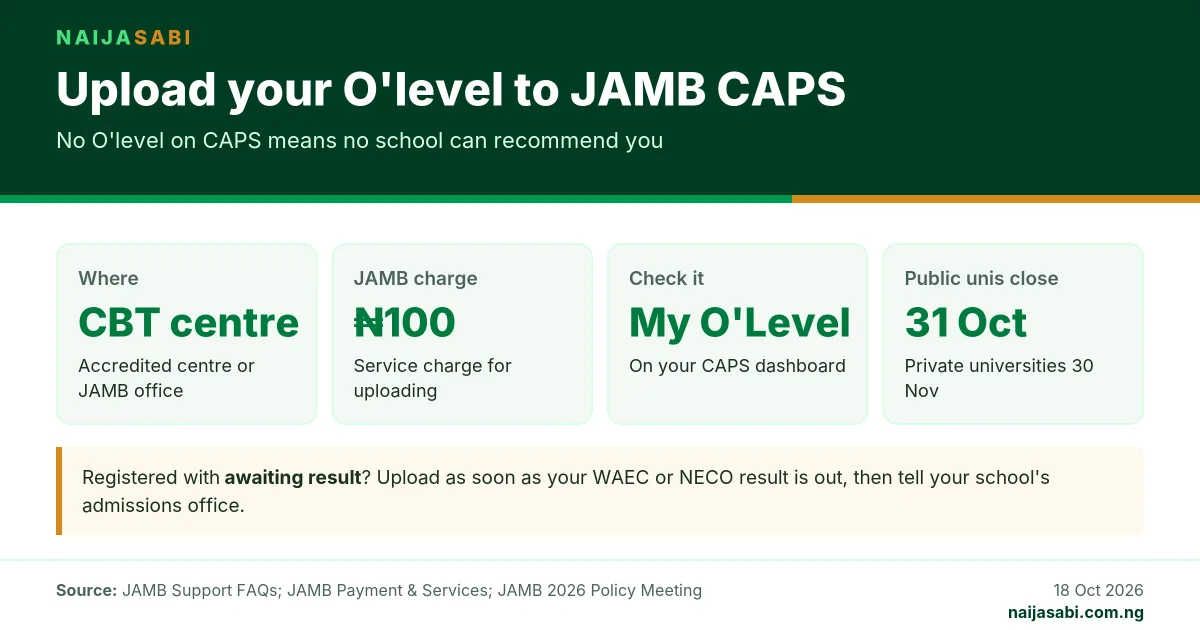
📌 Quick answer: You cannot upload your O’level result to JAMB CAPS yourself from home. Go to a JAMB-accredited CBT centre or a JAMB office (book an appointment first on efacility.jamb.gov.ng) and they upload it for you. JAMB’s fee schedule sets the CBT service charge for uploading documents at ₦100. Afterwards, log in to CAPS and open “My O’Level” to check every subject and grade. Do it now: JAMB says institutions cannot recommend you for admission if your O’level is missing, and public universities close 2026 admissions on 31 October.
Every year candidates with good UTME scores and post-UTME results are left out of admission lists for one avoidable reason: their WAEC, NECO or NABTEB result never reached JAMB. Universities, polytechnics and colleges of education recommend candidates on JAMB’s Central Admissions Processing System (CAPS), and the system checks your O’level before a school can push your name forward. If the “My O’Level” page on your CAPS profile is blank, you are invisible to the admissions officer.
This guide explains who needs to upload, where to do it, what it costs and how to confirm it worked, using JAMB’s own guidance.
Who Needs to Upload Their O’level Result?
- Candidates who registered with “Awaiting Results” (AR). JAMB allows you to register before your WAEC or NECO result is out, but says you must upload your verified grades onto CAPS as soon as they are released to be eligible for admission. Until it is uploaded, no school can recommend you, because JAMB says institutions cannot recommend candidates whose O’level results are absent.
- Candidates whose “My O’Level” page is empty, even if they think it was done at registration.
- Candidates combining two sittings, for example a WAEC and a NECO result: both need to be on CAPS.
- Candidates who passed a missing subject later, such as a GCE taken to fix a failed Mathematics or English.
How to Upload Your O’level Result: Step by Step
- Check first. Log in to efacility.jamb.gov.ng, open CAPS and click “My O’Level” on the left. If your subjects and grades are already there and correct, you do not need to upload again.
- Get your result details ready. Have your examination type (WAEC, NECO, NABTEB or GCE), year, examination number and a printed copy of your result. A valid result checker card helps the centre confirm the grades.
- Go to an accredited CBT centre or a JAMB office. Use only a centre on JAMB’s list of accredited centres. JAMB says anyone visiting a JAMB state or zonal office must first book an appointment on efacility.jamb.gov.ng and bring the booking slip.
- Give them your JAMB registration number and the result details. The centre enters each subject and grade on your JAMB record.
- Pay the service charge. JAMB’s schedule lists the CBT service charge for printing, correction of data and uploading of documents as ₦100.
- Check the screen before you leave. Ask to see the entries and confirm the subjects, grades, year and exam number match your result exactly.
- Confirm on CAPS. Later the same day or the next day, log in and check “My O’Level” again.
| Item | Detail |
|---|---|
| Where | JAMB-accredited CBT centre or JAMB state/zonal office (appointment needed for offices) |
| JAMB service charge | ₦100 (printing, correction of data or uploading of documents) |
| What to take | JAMB registration number, exam type, year and number, printed result |
| How to confirm | CAPS → “My O’Level” |
| Upload from home? | No; it is done for you at the centre |
How to Check That Your O’level Is on CAPS
- Go to efacility.jamb.gov.ng and log in with your email and password.
- On a phone, switch your browser to Desktop site; JAMB recommends this for CAPS.
- Click “Check Admission Status / CAPS”.
- Select “My O’Level” from the left sidebar. Your subjects and grades will show. If the page is blank, the upload has not been done.
Our full guide to checking your admission status on CAPS walks through the rest of the dashboard, including what “Recommended” and “Admission in Progress” mean.
What Happens After You Upload
JAMB’s support desk gives a clear answer for candidates whose school says they were offered admission but CAPS still shows “Not Admitted”: make sure your O’level is uploaded, because institutions cannot recommend candidates whose O’level results are absent. Once it is uploaded, contact your institution’s admissions office so it can push your recommendation to JAMB.
Uploading does not give you admission on its own. Your school still checks that your grades meet the requirements of the course: usually five credits, including English Language and Mathematics, in the subjects that course needs. If your result does not fit your course, you may need to accept a different course the school offers or change your course or institution on JAMB.
Deadlines: Why You Should Not Wait
| Type of institution | 2026 admissions close |
|---|---|
| Public universities | 31 October 2026 |
| Private universities | 30 November 2026 |
| Polytechnics, monotechnics and colleges of education | 31 December 2026 |
Schools often run several admission batches before their deadline, and a candidate whose O’level arrives late can miss the batch where their score would have been enough.
Common Problems and Fixes
| Problem | What to do |
|---|---|
| “My O’Level” is blank | Visit an accredited CBT centre to upload it. |
| A grade or subject was entered wrongly | Go back to an accredited centre or JAMB office with your result to have it corrected, then check CAPS again. |
| Only one of your two sittings shows | Ask the centre to upload the second result as well. |
| The school offered admission but CAPS says “Not Admitted” | Confirm your O’level is on CAPS, then contact the school’s admissions office to push your recommendation. |
| A centre asks for far more than ₦100 | JAMB’s service charge for uploading documents is ₦100. You can report overcharging through support.jamb.gov.ng. |
Frequently Asked Questions
Can I upload my O’level result on JAMB CAPS myself?
No. JAMB directs candidates to an accredited CBT centre to upload it. You can check it yourself on CAPS under “My O’Level”.
How much does it cost to upload O’level on JAMB?
JAMB’s fee schedule lists a ₦100 CBT service charge for printing, correction of data and uploading of documents.
Can I be admitted with awaiting result?
You can register for JAMB with awaiting result, but you cannot be recommended for admission until your result is uploaded to CAPS.
How do I know my O’level has been uploaded?
Log in to CAPS on efacility.jamb.gov.ng and click “My O’Level”. Your subjects and grades will be listed.
Can I upload two O’level results?
Yes, ask the centre to upload both sittings. Whether two sittings are accepted for your course is decided by your institution, so check its requirements.
Sources
- JAMB Support – Frequently Asked Questions (O’level upload, “My O’Level”, awaiting results, office appointments) – support.jamb.gov.ng
- Joint Admissions and Matriculation Board – Payment & Services fee schedule; guidance for awaiting-result candidates; 2026 Policy Meeting admission deadlines – jamb.gov.ng
Last updated: 20 October 2026 · NaijaSabi Education Desk. NaijaSabi is not affiliated with JAMB.




0 Comments
No comments yet. Be the first to share your thoughts!