




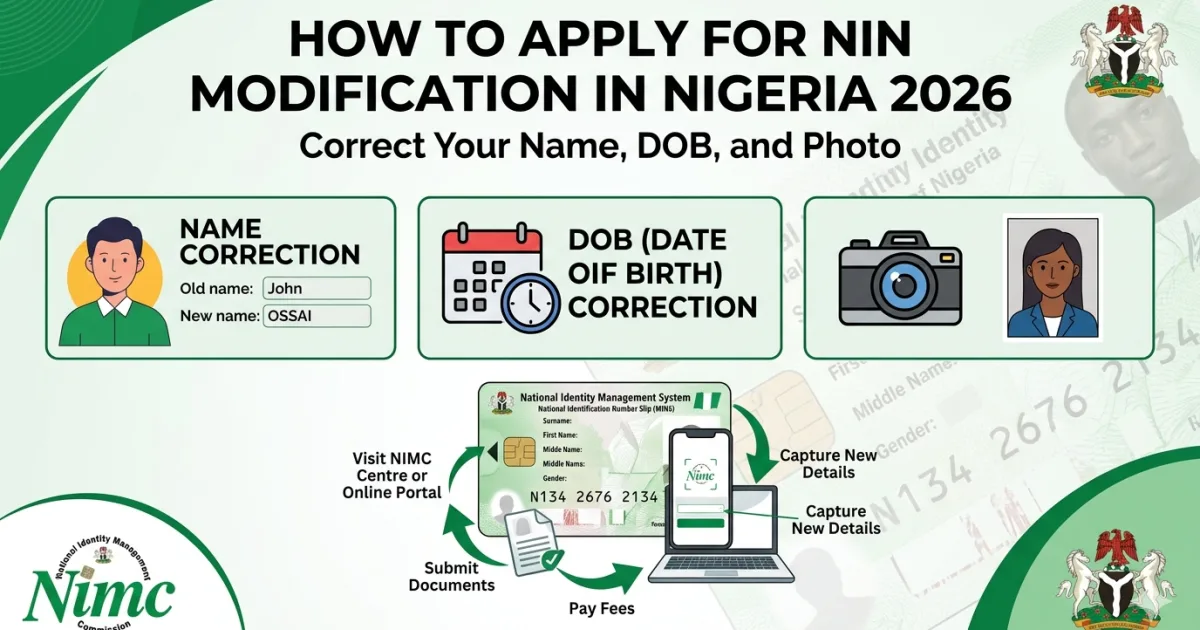
Your National Identification Number (NIN) is the foundation of your digital identity in Nigeria — required for banking, JAMB registration, passport applications, NYSC, employment, tax registration, government services, and dozens of other daily transactions. In 2026, NIN details must match your BVN, passport, birth certificate, and bank account records exactly — even a single character difference in name spelling or a wrong date of birth can cause applications to be rejected, accounts to be frozen, or government payments to be withheld. If your NIN contains any error — a misspelled name, wrong date of birth, incorrect gender, or an outdated photograph — you need a NIN modification from the National Identity Management Commission (NIMC). This comprehensive guide covers every aspect of the modification process in 2026.
What Can Be Modified on Your NIN in 2026?
| Field | Can It Be Modified? | Documents Required |
|---|---|---|
| First name / given name | ✅ Yes | Birth certificate + supporting court affidavit if birth certificate is unavailable |
| Middle name | ✅ Yes | Birth certificate or deed poll |
| Surname / family name | ✅ Yes | Birth certificate; marriage certificate (for married women changing surname); deed poll |
| Date of birth | ✅ Yes | Original birth certificate (NPC-issued); court age declaration if birth certificate unavailable |
| Gender | ✅ Yes (with documentation) | Medical documentation; court order — handled on case-by-case basis at NIMC HQ |
| Photograph | ✅ Yes | Physical presence at NIMC centre — new photo taken on-site |
| Phone number | ✅ Yes | Can update via NIMC app or self-service portal |
| Email address | ✅ Yes | Via NIMC app or portal |
| Residential address | ✅ Yes | Proof of address (utility bill, tenancy agreement) |
| NIN number itself | ❌ No | NIN is permanent — it cannot be changed once issued |
Why NIN Modification Matters More Than Ever in 2026
The urgency of NIN modification in 2026 cannot be overstated. A cascade of government systems, banking infrastructure, and digital services now cross-reference your NIN against other databases in real time. Here is why getting your NIN details exactly right is critical:
- Passport applications: The Nigeria Immigration Service (NIS) now pulls your data directly from the NIMC database when you apply for a passport. If your NIN shows “OLUWASEUN” but your birth certificate shows “OLUSEUN,” your passport application is flagged and may be rejected until the discrepancy is resolved. Even a missing hyphen or a swapped name order (surname vs first name) triggers a mismatch
- Bank account BVN-NIN linkage: The CBN mandated that all bank accounts link their BVN to a NIN. If your NIN name doesn’t match your BVN name exactly, the linkage fails and your account may be restricted
- JAMB registration: JAMB’s 2026 registration system validates candidate NIN details — mismatches between NIN and other documents cause registration failures and result in candidates being unable to complete their UTME registration
- NYSC mobilisation: The NYSC system cross-references NIN details against university records. Name mismatches cause mobilisation delays that can push a graduate back to a later NYSC batch
- TIN registration: FIRS (Federal Inland Revenue Service) uses NIN to auto-generate Tax Identification Numbers — wrong NIN details create incorrect TIN records that can complicate tax filing and compliance
- Government social transfers: Federal and state government cash transfer programmes to vulnerable citizens use NIN to verify recipients — wrong NIN details can disqualify eligible recipients from receiving payments they are entitled to
How to Apply for NIN Modification — Option 1: NIMC Physical Centre
The most reliable and comprehensive NIN modification method is visiting a NIMC enrolment centre in person. This is required for all critical field corrections (name, date of birth, gender) and for photograph updates. Here is the step-by-step process:
- Find your nearest NIMC centre: Visit nimc.gov.ng/nimc-offices to find the NIMC state office or enrolment centre serving your area. Alternatively, NIMC has partnered with several commercial banks (GTCO, Zenith, Access, UBA, FirstBank, Sterling Bank) as authorised enrolment and modification centres — bank-based centres are often less crowded than dedicated NIMC offices
- Gather your documents (see full document list below) — do not go without your supporting documents
- Arrive at the centre and join the modification queue — inform staff you are there for a data modification, not a fresh enrolment
- Complete the NIN Modification Form provided at the centre — fill in your NIN, the field(s) to be corrected, the correct information, and your reason for the modification
- Submit your original supporting documents for verification by the NIMC officer
- If a photograph update is required, your photo is taken on-site using the NIMC biometric system — no personal photograph is needed for this
- Your fingerprints may be rescanned to re-confirm your biometric identity
- The officer submits your modification request in the system — you receive an acknowledgment slip with a reference number
- Check your modification status after 5–10 working days via the NIMC Self-Service Portal at selfservice.nimc.gov.ng or by revisiting the centre with your reference number
How to Apply for NIN Modification — Option 2: NIMC Mobile App
For minor modifications (phone number, email, address), the NIMC Mobile App allows self-service updates without visiting a centre. Here is how to use it:
- Download the NIMC Mobile ID App from Google Play Store or Apple App Store
- Open the app and log in using your NIN and the registered phone number
- An OTP is sent to your registered number — enter it to authenticate
- Navigate to “Update Profile” or “Modify Details”
- Select the field you want to update (phone number, email, or address)
- Enter the new correct information
- Submit the update — changes to contact details are typically reflected within 24–48 hours
Important: The NIMC app is suitable only for contact detail updates. Critical field modifications — name corrections, date of birth changes, gender corrections — require physical presence at a NIMC centre with supporting documents. The app cannot process these changes remotely.
Documents Required for NIN Modification 2026
For Name Correction (Misspelling or Name Order)
- Original birth certificate (National Population Commission — NPC birth certificate) showing the correct name
- If NPC birth certificate is unavailable: a court-sworn affidavit of change of name from a Federal or State High Court (not a magistrate’s court), plus any other supporting document showing the correct name (WAEC result, school certificate, or bank statement)
- Your NIN slip or a copy of your NIN card/number
- Valid government-issued ID (any one of: national ID card, voter’s card, driver’s licence, international passport)
For Date of Birth Correction
- Original NPC birth certificate showing the correct date of birth — this is the primary document and is required in most cases
- If birth certificate is unavailable: court-sworn age declaration from a Federal or State High Court
- Supporting documents such as school certificates (WAEC, NECO) or baptism certificate showing consistent date of birth may be requested as supplementary evidence
- Valid government ID
For Photograph Update
- Physical presence at a NIMC centre — new photo is taken with NIMC equipment on-site
- Your NIN slip
- Valid government ID
- No personal photograph is needed — NIMC takes the photo themselves using biometric capture equipment
For Address Update
- Proof of new address: utility bill (electricity, water), tenancy agreement, or a recent bank statement — all must show your name and the new address, not older than 3 months
- Via NIMC app or portal for self-service address updates
How Long Does NIN Modification Take?
| Modification Type | Processing Time | Channel |
|---|---|---|
| Phone number or email update | Immediate to 24 hours | NIMC app self-service |
| Address update | 24–48 hours | NIMC app or portal |
| Name correction | 5–10 working days | NIMC centre (physical) |
| Date of birth correction | 5–15 working days | NIMC centre (physical) |
| Photograph update | 5–10 working days | NIMC centre (physical) |
| Complex corrections (multiple fields) | 10–21 working days | NIMC centre (physical) — may require state office review |
During busy periods — particularly around JAMB registration season (January–February) and passport application surges — NIMC centres experience significantly increased traffic and processing times may extend. If your modification is urgent (for a passport application, JAMB registration, or NYSC mobilisation), begin the process at least 6–8 weeks before the relevant deadline.
How Much Does NIN Modification Cost?
Standard NIN modification at NIMC centres is officially free for most correction types. However, some modifications may attract a processing fee — confirm the current fee schedule at nimc.gov.ng or with the specific NIMC centre before your visit, as fees are periodically reviewed. Do not pay any unofficial fee to NIMC staff or agents outside the official payment channels displayed at the centre. If any officer requests a personal payment outside the official cashier process, report it to NIMC’s anti-corruption desk or the ICPC.
The only legitimate cost you are likely to incur is for obtaining supporting documents: NPC birth certificate costs may apply (if you don’t already have one) and court affidavits from High Courts typically cost ₦5,000–₦20,000 in lawyer fees plus court fees depending on the court and the complexity of the affidavit. Budget ₦10,000–₦30,000 for supporting document preparation if you need an affidavit for a name or date of birth correction.
Common NIN Errors and How They Happen
Understanding how errors enter the NIN system in the first place helps you ensure the correction you make is permanent and consistent across all related documents. Common error sources include:
- Data entry errors at enrolment: The NIMC enrolment officer typed your name incorrectly from the document you presented — common for names with double letters (OLUWASEUN vs OLUSEUN), hyphens, or apostrophes (O’CONNOR, ADEYEMI-COLE) that some input systems handle inconsistently
- Inconsistency between your own documents: You enrolled with the name as it appears on your voter’s card — but your birth certificate, WAEC result, and bank account all show a slightly different spelling or name order. NIMC enrolled whichever version you presented at the time
- Age inflation or deflation: In Nigeria, dates of birth on official documents sometimes differ because of deliberate or accidental misrepresentation during earlier registrations (for age-sensitive purposes like school enrollment, military service, or employment). The NIN modification requires the birth certificate date — which may itself need to be obtained or corrected through NPC first
- Photograph outdated: Early NIN enrolments in 2012–2015 used lower-quality cameras and some photographs are no longer recognisable as the current holder — important to update if your NIN photo is being used for facial verification purposes
Authorised Bank Partners for NIN Modification 2026
NIMC has authorised several commercial banks to act as NIN enrolment and modification centres. This is particularly useful because bank branches are typically more numerous, more accessible, and better organised than dedicated NIMC offices — shorter queues and more convenient locations. The following banks are among those authorised as NIMC modification agents in 2026:
- Guaranty Trust Bank (GTCO)
- Zenith Bank
- Access Bank
- United Bank for Africa (UBA)
- First Bank of Nigeria
- Sterling Bank
Not all branches of these banks are authorised for NIN modifications — only designated branches with the required NIMC equipment. Call your bank’s customer care line or check their website/app to confirm which specific branches in your area are authorised for NIN modification services before making the trip. Taking the time to confirm the right branch saves you a wasted journey.
Frequently Asked Questions — NIN Modification 2026
How do I change my name on my NIN?
Visit a NIMC enrolment centre or authorised bank branch with your original NPC birth certificate (showing the correct name), a valid government ID, and your NIN number. Fill in the NIN Modification Form indicating the name correction needed. The officer submits the correction — processing takes 5–10 working days. If you don’t have a birth certificate, a court-sworn affidavit from a High Court can substitute as supporting documentation.
How long does NIN modification take in Nigeria?
For name and date of birth corrections submitted at a NIMC centre, processing typically takes 5–10 working days. Complex corrections involving multiple fields or requiring additional document verification can take up to 21 working days. Contact detail updates via the NIMC app are typically immediate to 24 hours. During peak periods (JAMB season, post-election, end of year), expect delays beyond these timelines.
Can I do NIN modification online?
You can update contact details (phone number, email, address) online via the NIMC Mobile ID App or the NIMC Self-Service Portal at selfservice.nimc.gov.ng. However, critical field corrections — name, date of birth, gender, photograph — require physical presence at a NIMC centre or authorised bank branch with original supporting documents. These cannot be done remotely.
How much does NIN modification cost in Nigeria?
NIMC modification is officially free for most correction types. However, you may need to spend ₦10,000–₦30,000 on obtaining supporting documents (court affidavit from a High Court, NPC birth certificate). Do not pay any unofficial cash to NIMC staff — only pay through official cashier channels if a fee is displayed on an official notice at the centre.
Do I need a birth certificate to correct my NIN?
For name and date of birth corrections, a birth certificate from the National Population Commission (NPC) is the preferred supporting document. If you don’t have one, a court-sworn affidavit from a Federal or State High Court (not a magistrate’s court) can serve as an alternative, though some NIMC centres may also request additional supporting evidence alongside it. Contact your nearest NIMC centre to confirm their specific document requirements before your visit.
🪪 NIN Modification Nigeria 2026 — Complete Quick Reference
- NIMC website: nimc.gov.ng | Self-service portal: selfservice.nimc.gov.ng
- NIMC Mobile App: Download “NIMC Mobile ID” from Play Store / App Store
- Name/DOB correction: Physical centre visit required; bring original birth certificate
- Photo update: Physical centre; photo taken on-site; no personal photo needed
- Contact details: Update via NIMC app — no centre visit required
- Processing time: 5–10 working days for major corrections
- Cost: Free (official); budget ₦10,000–₦30,000 for supporting document costs
- Bank partners: GTCO, Zenith, Access, UBA, First Bank, Sterling — designated branches
- Why it’s urgent: NIN must match passport, BVN, JAMB, NYSC, and bank records exactly
- Do not pay: Cash to NIMC staff outside official channels — report unofficial fee requests to ICPC
Also read: How to Check BVN on Phone Nigeria 2026 | Nigerian Passport Fee 2026 | FIRS TIN Registration Nigeria 2026
NIN Modification Fraud: Protecting Yourself
The NIN modification process — like all government services that Nigerians frequently need — attracts fraudulent operators who position themselves as “agents” who can expedite the process for a fee. Common NIN modification fraud patterns in 2026 include: individuals at NIMC office entrances offering to “process” modifications for ₦5,000–₦20,000 cash; WhatsApp messages claiming to offer remote NIN modification services that collect payment and deliver nothing; fake NIMC websites that capture personal details and payment information; and social media posts claiming to connect people with NIMC “staff” who can fast-track modifications.
The reality is clear: legitimate NIMC modification processing has no “fast track” option that unofficial agents can provide. The modification is processed through NIMC’s internal system on a standard timeline that agents cannot shorten. Paying an unofficial agent means paying twice — once to the agent who provides no real service and once through legitimate channels when the modification actually happens. Report any individual claiming to be a NIMC agent and requesting cash payment outside official channels to NIMC at contactus@nimc.gov.ng or to the ICPC (Independent Corrupt Practices Commission) at icpc.gov.ng.
Checking Your NIN Modification Status
After submitting your NIN modification at a NIMC centre or authorised bank partner, you receive an acknowledgment slip with a reference number. Use this reference number to track the status of your modification through these channels:
- NIMC Self-Service Portal: Visit selfservice.nimc.gov.ng, log in with your NIN and registered phone number, and check “My Requests” to see the status of your pending modification
- NIMC Mobile ID App: Log into the app and check “Modification Status” under your profile — the app shows whether your modification is pending review, approved, or requires additional documentation
- Return visit to centre: If the portal shows no update after 10 working days, return to the NIMC centre where you submitted with your acknowledgment slip and request a manual status check from the officer assigned to your application
- NIMC contact centre: Call 07001111636 (NIMC helpline) or email contactus@nimc.gov.ng with your reference number and NIN for a status update
Once your modification is approved, your NIN record in the NIMC database is updated — you can verify the correction by checking your details through the NIMC Mobile ID App (your profile now shows the corrected information). All government systems that query the NIMC database — including JAMB, NIS (for passports), NYSC, and BVN-NIN linking — will automatically reflect your corrected details within 48–72 hours of NIMC updating the record. No separate notification or re-registration is required in those systems; the database update propagates automatically.
When to Get a Fresh NIN Enrolment vs Modification
Some Nigerians who lost their NIN slip, cannot remember their NIN number, or believe their original enrolment was problematic consider whether to do a fresh enrolment rather than a modification. The answer is clear: you cannot enrol for a new NIN if you already have one. The NIMC system checks your biometrics (fingerprints and photograph) during any enrolment attempt and will identify you as an existing enrollee — attempting to enrol again results in your existing NIN being displayed, not a new one being created. Duplicate NIN registrations are not possible through the official system. If you have lost your NIN number: dial *346# from any phone to retrieve your NIN via USSD — enter the OTP sent to your registered number and your NIN is displayed. If you cannot access the *346# service because your registered number is inactive, visit a NIMC centre with valid ID and your biometrics will identify your existing NIN. Only after retrieving your existing NIN can you then request a modification of any incorrect details.
NIN and BVN Linkage: Why Your Modification Must Be Done First
The CBN’s mandate requiring all bank accounts to link their BVN to a NIN has created a cascade of practical problems for Nigerians whose NIN details don’t precisely match their BVN details. Since BVN enrollment at a bank branch and NIN enrollment at NIMC are two separate processes that happened at different times, inconsistencies frequently exist — a name spelled differently across the two systems, a date of birth recorded differently, or a middle name included on one but not the other. When the CBN system attempts to link BVN to NIN and finds a mismatch, the linkage fails and the account may be restricted from certain services pending resolution. The correct sequence for resolving this is: (1) determine which version — BVN or NIN — is consistent with your original birth certificate; (2) modify the non-matching system to align with the birth certificate version; (3) once both systems show identical details, the BVN-NIN linkage succeeds. Do not modify your BVN details to match an incorrect NIN — correct the NIN to match the birth certificate, then both BVN and NIN will reflect the same accurate information.
Obtaining a Birth Certificate: The Foundation Document for NIN Modification
For many Nigerians who need to correct their NIN, the first challenge is obtaining or retrieving their original birth certificate from the National Population Commission (NPC). Many older Nigerians — particularly those born before the 1980s or in rural areas — never had birth certificates registered at all, and younger Nigerians who have certificates may have lost them over time. Here is how to obtain or replace an NPC birth certificate in 2026:
For original late registration (if never previously registered): Visit the NPC office in your state capital or the NPC state office nearest to your place of birth. Complete a Late Registration of Birth form — provide as much evidence of your birth details as possible (hospital records, baptism certificate, school records, parental affidavit). NPC officers will process the registration and issue an official birth certificate. Late registration processing typically takes 2–4 weeks and attracts fees that vary by state — confirm at your nearest NPC office.
For replacement of a lost/damaged certificate: Visit the NPC office in the state where your birth was originally registered (not necessarily where you currently live). Provide your NPC birth registration number if you have it, or as much identifying information as possible. NPC can retrieve the original registration record and issue a replacement certificate. If the original registration cannot be found, NPC may issue a late registration as above.
For verification before NIN modification: Ensure the birth certificate you present clearly shows: full legal name (exactly as you want it to appear in the NIMC system), date of birth, place of birth, names of parents, NPC registration number, and the NPC officer’s stamp and signature. A photocopy alone is not sufficient for NIMC — bring the original. Bring photocopies as well, as NIMC may retain a copy of your supporting document with the modification file.
NIN for Children and Minors in 2026
In 2022, the Nigerian government extended the NIN enrollment requirement to include all children — including newborns. As of 2026, NIN is required for minors for: passport applications, school enrollment in some states, NHIS (health insurance) registration, and access to certain government services. Here is how NIN enrollment and modification works for children and minors:
Enrollment: Parents or guardians visit a NIMC enrolment centre with the child and the following documents: the child’s NPC birth certificate, one parent’s or guardian’s valid NIN (the child’s NIN is linked to the parent’s in the NIMC system), the parent’s valid government-issued ID, and passport photographs of the child. The child’s photograph and biometrics are captured at the centre. A NIN is issued for the child within the standard processing period of 5–10 working days.
Modification: If a child’s NIN contains errors — misspelled name, wrong date of birth — the same modification process applies as for adults, using the child’s birth certificate as the primary supporting document and accompanied by the parent or legal guardian who presents their own NIN and ID. Modifications to a minor’s NIN require parental/guardian consent and presence — a child cannot initiate a modification independently.
Transition to adult NIN: When a child reaches 16 years of age, their NIN record is upgraded — biometrics (fingerprints and photograph) are re-captured to reflect the adult individual. This upgrade happens at a NIMC centre and ensures that the NIN, which was originally linked to a parent’s record, becomes an independent adult record. If a young person’s NIN contains errors from childhood enrollment, the 16-year-old upgrade appointment is a convenient opportunity to correct them simultaneously.
After Your NIN Is Corrected: Update All Linked Systems
Once NIMC has processed and confirmed your NIN modification, the updated details propagate automatically to government systems that query the NIMC database. However, some systems require a manual update notification or re-verification from you. Here is a post-modification checklist to ensure all key platforms reflect your corrected NIN details:
- JAMB: Log into efacility.jamb.gov.ng and verify that your profile details match the corrected NIN. If JAMB’s system shows outdated details, contact JAMB support at info@jamb.gov.ng to request a synchronisation of your profile with the updated NIMC database
- Banks (BVN-NIN linkage): Contact your bank to re-confirm the BVN-NIN linkage now that your NIN details match your BVN. Some banks require you to notify them after a NIN modification so they can re-run the verification — call your bank’s customer service with your NIN number and request confirmation that the linkage is reflecting the updated details
- NYSC: If your NIN modification was prompted by an NYSC-related mismatch, inform your NYSC LGI or State Coordinator that the modification has been completed and request re-processing of any mobilisation or allowance documentation that was affected
- NIS (passport): If you had a pending passport application that was flagged due to a NIN mismatch, contact immigration.gov.ng or visit the NIS office with your acknowledgment slip confirming the NIN modification has been completed — this allows them to re-process your application using the corrected NIN data
- FIRS (TIN): If your Tax Identification Number (TIN) was generated from incorrect NIN details, contact FIRS at info@firs.gov.ng to update your TIN record with the corrected information
Taking these steps systematically after a NIN modification ensures that all downstream systems using your NIN for identification reflect the correct information — preventing future document mismatches when you apply for services that cross-reference multiple identity databases simultaneously.
NIN for Children and Minors in Nigeria 2026
In 2026, NIN enrollment is required for all Nigerians including newborns and children — there is no minimum age for NIN registration. The Federal Government has made child NIN enrollment increasingly important as it is now a requirement for: children’s passport applications (NIS requires child NIN), school enrollment in government institutions, child beneficiary registration for social welfare programmes, and JAMB registration when the child reaches secondary school completion age. Parents and guardians should enroll their children for NIN as early as possible to avoid last-minute rushes before these milestones.
The child NIN enrollment process: a parent or legal guardian takes the child to any NIMC enrollment centre with the child’s birth certificate (NPC-issued), the parent/guardian’s own valid NIN and ID, and the child’s passport photographs. The child’s biometrics are captured — for infants and very young children where fingerprints are not yet distinctive enough for capture, the system records what biometrics are available and flags the record for biometric update when the child is older (typically at age 5 and again at age 16). The child NIN is linked to the parent’s NIN in the database, creating a family record that helps with verification of family relationships for government services.
What Happens If You Don’t Have a NIN in Nigeria 2026?
The consequences of not having a NIN in 2026 have become significantly more severe than in earlier years as NIN requirements have expanded across government and financial services. Without a NIN in 2026, a Nigerian adult: cannot open any new bank account (all CBN-regulated banks require NIN for account opening); cannot apply for an international passport; cannot register for JAMB UTME; cannot mobilise for NYSC; cannot register for a SIM card (NCC mandated NIN-SIM linkage); cannot access most federal government social programmes; and may face restrictions on existing financial accounts that have not yet completed BVN-NIN linkage. The practical urgency of enrolling for a NIN — or resolving NIN issues through modification — cannot be overstated in the current regulatory environment where NIN sits at the centre of Nigerian digital identity infrastructure.
If you have not yet enrolled for a NIN: visit any NIMC enrollment centre with your birth certificate, a valid government ID (voter’s card, driver’s licence, or old national ID card), and two passport photographs. Enrollment is free. Your NIN is issued within 24–48 hours via SMS to your registered phone number. To find the nearest NIMC enrollment centre, visit nimc.gov.ng/nimc-offices or dial *346# to check your existing NIN status and nearest office information.
NIMC Digital Identity Wallet: What It Is
The NIMC Mobile ID app in 2026 doubles as a digital identity wallet — a secure, government-backed digital version of your NIN card that can be presented on your smartphone wherever identity verification is required. The digital ID in the NIMC app is legally recognised as equivalent to the physical NIN card for most identity verification purposes in Nigeria. It includes a scannable QR code that institutions can use to instantly verify your identity details against the NIMC database — faster and more tamper-proof than a physical card check.
The digital identity wallet also stores your verified identity credentials in a format that can be shared selectively with requesting institutions — you can share only the specific data fields a service requires (for example, just your date of birth for age verification, without sharing your full address or other details). This selective disclosure capability, while not yet fully implemented across all Nigerian institutions in 2026, represents the direction of Nigeria’s identity infrastructure — toward a more privacy-preserving, user-controlled digital identity system aligned with global standards for self-sovereign identity. For now, the most practical use of the NIMC Mobile ID app is as a convenient backup to your physical NIN card — always having your NIN accessible even if you don’t have your physical card on you, and being able to share your NIN details instantly when needed without having to recall the 11-digit number from memory.





0 Comments
No comments yet. Be the first to share your thoughts!